
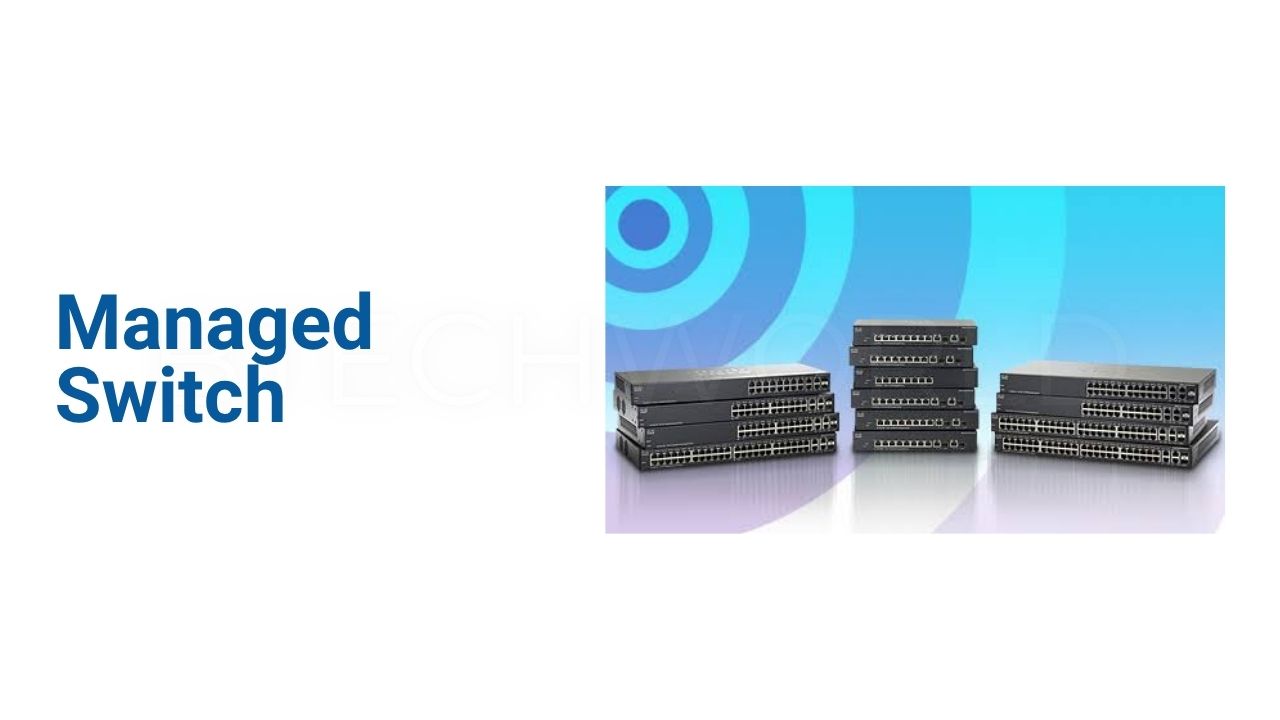
Managed Switch: Everything You Need to Know About Network Management

A Managed Switch is a network device that gives administrators detailed control over connected devices and data traffic. Unlike a basic unmanaged switch, it allows users to configure ports, separate network traffic, prioritize important applications, monitor activity, and apply security policies. Managed switches are widely used in business networks, data centers, schools, offices, surveillance systems, and other environments where reliable network control matters. Modern models can provide features such as VLANs, Quality of Service (QoS), Access Control Lists (ACLs), SNMP monitoring, port mirroring, and centralized management.
What Is a Managed Switch?
A managed switch is an Ethernet switch that administrators can configure and monitor through software or management interfaces. It still performs the basic job of connecting devices on a local network, but it provides far more control than a plug-and-play switch.
Depending on the model, administrators may manage the device through a web-based interface, command-line interface (CLI), SNMP, SSH, or a centralized cloud platform. Some enterprise switches also support centralized controllers that allow multiple switches to be configured and monitored from one location.
This additional control makes managed switches useful when a network needs segmentation, security policies, traffic prioritization, or detailed troubleshooting.
How Does a Managed Switch Work?
A managed switch receives Ethernet frames from connected devices and forwards them toward their intended destinations. It builds a MAC address table to understand which devices are connected to particular ports.
The management features operate alongside this basic switching function. An administrator can assign ports to VLANs, create traffic rules, restrict access, prioritize applications, and monitor network behavior.
For example, an office might place employee computers, guest Wi-Fi devices, IP cameras, and VoIP phones into separate VLANs. This creates logical separation while allowing the organization to use the same physical switching infrastructure. VLAN segmentation is one of the most common reasons organizations choose managed switches.
Key Features of a Managed Switch
VLAN Support
Virtual LANs allow administrators to divide one physical network into separate logical networks. IEEE 802.1Q VLAN tagging is commonly used for this purpose.
A company can create one VLAN for employees, another for guests, and another for security cameras. This separation can reduce unnecessary traffic and help administrators apply different network policies.
VLANs are especially useful when many types of devices share the same infrastructure. They provide a structured way to organize traffic without installing a separate physical switch for every network segment.
Quality of Service
Quality of Service, commonly called QoS, allows administrators to prioritize important network traffic.
Voice calls and video meetings can receive higher priority than less time-sensitive activities such as large file transfers. Many managed switches support traffic classification using methods such as DSCP and 802.1p priority markings.
QoS does not increase the physical bandwidth of a connection. Instead, it helps the switch decide which traffic should receive priority when network resources become limited.
Network Monitoring
Managed switches provide monitoring tools that help administrators understand network activity.
SNMP can allow network management software to collect information from switches and other devices. Some switches also provide RMON, system logs, port statistics, event notifications, and other diagnostic functions.
These tools can help identify overloaded ports, connection problems, unusual traffic patterns, or hardware issues before they become larger network problems.
Access Control Lists
Access Control Lists, or ACLs, allow administrators to define rules for permitted and restricted traffic.
Depending on the switch, rules can use MAC addresses, IP addresses, protocols, TCP or UDP ports, VLAN information, and other traffic characteristics.
This provides another layer of network control. Administrators can restrict access between network segments or prevent certain traffic from reaching sensitive resources.
Managed Switch Security Features
Network security is another important reason to use a managed switch. Modern models can include port security, 802.1X authentication, DHCP snooping, IP-MAC binding, storm control, and other security features.
802.1X can require authentication before a device receives network access. DHCP snooping can help protect against unauthorized DHCP activity, while storm control can limit excessive broadcast, multicast, or unknown-unicast traffic.
Some managed switches also support Dynamic ARP Inspection and additional access-control mechanisms. The exact security feature set varies considerably between models, so buyers should check the manufacturer’s specifications before selecting a device.
Managed vs Unmanaged Switch
The biggest difference is control.
An unmanaged switch is designed for simple connectivity. Users connect Ethernet cables, and the device handles basic switching automatically. It generally does not provide the same level of configuration and monitoring available on managed equipment. Cisco describes unmanaged switches as plug-and-play devices suited to simpler network topologies.
A managed switch provides configuration options for VLANs, QoS, security, monitoring, and other network functions.
| Feature | Managed Switch | Unmanaged Switch |
|---|---|---|
| Basic Ethernet connectivity | Yes | Yes |
| VLAN configuration | Common | Usually no |
| QoS configuration | Yes | Limited or none |
| Network monitoring | Yes | Very limited |
| ACLs | Common on advanced models | Usually no |
| SNMP | Common on managed models | Usually no |
| Port security | Available | Usually no |
| Remote administration | Available | Usually no |
| Configuration flexibility | High | Low |
| Best for | Business and advanced networks | Simple networks |
Types of Managed Switches
Layer 2 Managed Switch
Layer 2 switches primarily handle Ethernet switching and features such as VLANs, MAC-based functions, spanning-tree protocols, and link aggregation.
They are commonly used at the access layer of business networks.
Layer 3 Managed Switch
Layer 3 switches add routing capabilities. This can allow the switch to route traffic between certain IP networks or VLANs.
For example, a Layer 3 switch may provide static routing between internal network segments. Some models offer additional routing functions depending on their software and hardware capabilities.
PoE Managed Switch
A Power over Ethernet managed switch can send both network data and electrical power through compatible Ethernet connections.
This can simplify installations for IP cameras, wireless access points, VoIP phones, and other compatible devices. Some business models combine PoE with VLANs, QoS, centralized management, and security features.
Cloud-Managed Switch
Cloud-managed switches can be administered through a centralized online platform. This can be useful for organizations operating multiple offices or locations.
Instead of configuring every switch separately, administrators can use centralized management tools to monitor devices and apply configurations across a broader network. Some current managed switches support cloud access alongside traditional web, CLI, and SNMP management.
Why Use a Managed Switch?
The main advantage is greater network visibility and control.
Businesses can separate different types of traffic, prioritize important applications, restrict access, monitor ports, and troubleshoot network problems more efficiently. Managed switches can also support more structured network designs as an organization grows.
They are particularly useful when downtime has a significant operational cost. A small office may only need simple connectivity, while a larger organization may require VLANs, authentication, monitoring, redundancy, and traffic policies.
Managed Switch for Business Networks
Business networks often contain many different devices. Employees may use computers and phones, while offices may also have printers, cameras, access points, servers, and IoT equipment.
A managed switch can help administrators organize these devices into appropriate network segments. For example, security cameras can operate on a dedicated VLAN while employee systems remain on another segment.
Advanced models can also support link aggregation, spanning-tree protocols, multicast management, static routing, and centralized monitoring. These capabilities help organizations build networks that are easier to manage and expand.
How to Choose a Managed Switch
Check the Port Count
Start by determining how many devices need wired connections. Common configurations include 8, 16, 24, and 48 ports, although larger and specialized models are also available.
It is useful to leave several ports available for future expansion.
Consider Network Speed
Gigabit Ethernet is common for many business networks, while higher-performance environments may require 2.5GbE, 5GbE, 10GbE, or fiber-based connections.
The right speed depends on the connected devices, internet connection, servers, storage systems, and expected traffic.
Look at Uplink Options
Uplink ports connect switches to other network devices. SFP and SFP+ interfaces can provide fiber or high-speed connectivity depending on the hardware and transceiver used.
A switch designed for a larger network may include multiple high-speed uplinks for connecting access switches to an aggregation layer.
Check Management Options
Consider whether you need web management, CLI, SSH, SNMP, or cloud-based management.
Small organizations may prefer a simple graphical interface, while larger IT teams may need CLI access and integration with network monitoring systems.
Consider PoE
If you plan to power access points, IP cameras, or VoIP phones through Ethernet, check whether the switch supports PoE.
Also examine the total PoE power budget. The number of PoE ports alone does not tell you how much power the switch can deliver to connected devices.
Common Managed Switch Applications
| Application | Useful Managed Switch Features |
|---|---|
| Business office | VLAN, QoS, ACL, monitoring |
| IP surveillance | PoE, VLAN, IGMP Snooping |
| VoIP network | QoS, Voice VLAN, PoE |
| Wi-Fi infrastructure | PoE, VLAN, QoS |
| Data center | High-speed uplinks, VLAN, redundancy |
| School network | VLAN, ACL, monitoring |
| Industrial network | Redundancy, VLAN, monitoring |
| Multi-site business | Cloud management, centralized control |
Are Managed Switches Difficult to Configure?
They can be more complicated than unmanaged switches because they provide many more options. However, modern interfaces have made basic configuration easier.
A small network may only require a few settings, such as administrator access, VLAN assignments, and basic QoS rules. More advanced networks may require careful planning for routing, authentication, redundancy, ACLs, and monitoring.
The important point is to configure only the features the network actually needs. Unnecessary complexity can make troubleshooting harder.
Managed Switch Advantages and Limitations
Managed switches provide strong control, but they are not automatically the right choice for every network.
Their advantages include better traffic management, segmentation, security controls, monitoring, scalability, and configuration flexibility. These features can become increasingly valuable as a network grows.
The trade-off is cost and complexity. A managed switch usually requires more planning and administration than a basic unmanaged model. Some advanced devices also require networking knowledge to configure correctly.
Conclusion
A Managed Switch provides much more than basic Ethernet connectivity. It gives administrators tools for controlling traffic, separating networks, improving performance, monitoring devices, and applying security policies.
Features such as VLANs, QoS, ACLs, SNMP, PoE, link aggregation, and Layer 3 routing can make managed switches suitable for everything from small business networks to larger enterprise environments. The best model depends on the network’s size, speed requirements, security needs, management method, and future expansion plans.
FAQs
What is a managed switch?
A managed switch is a network switch that administrators can configure and monitor. It can provide features such as VLANs, QoS, security policies, traffic monitoring, and remote management.
Is a managed switch better than an unmanaged switch?
They serve different purposes. A managed switch provides significantly more configuration and monitoring capabilities, while an unmanaged switch is simpler and designed mainly for basic connectivity.
Can a managed switch improve network security?
It can provide security controls such as ACLs, port security, 802.1X authentication, DHCP snooping, and storm control. The available features depend on the specific model.
Do managed switches support VLANs?
Yes. VLAN support is a common feature of managed switches and allows administrators to separate network traffic into logical segments.
Should a small business use a managed switch?
A small business can benefit from one when it needs network segmentation, traffic prioritization, centralized monitoring, PoE management, or stronger access controls. For a very simple network, an unmanaged switch may provide enough functionality.
Explore More: BTECH WORLD