reMarkable 2: Features, Specs, Price, and Everything You Need to Know

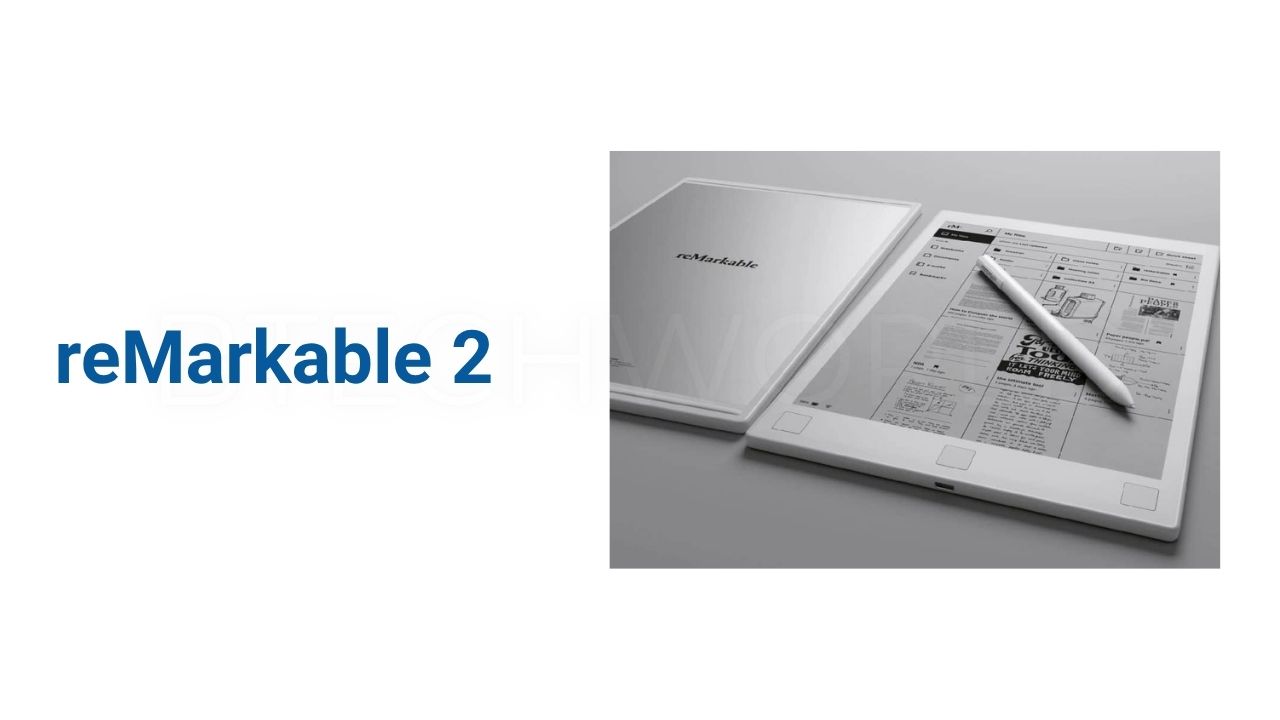
The reMarkable 2 is a digital paper tablet designed for people who want the writing experience of a notebook without carrying stacks of paper. It combines a thin monochrome display with a pressure-sensitive Marker for handwriting, sketching, reading, and document annotation. Unlike a conventional tablet, it focuses on distraction-free work rather than apps, social media, notifications, and entertainment. The device measures just 4.7mm thick and weighs about 403.5 grams.
Although the reMarkable 2 is no longer the company’s newest paper tablet, it remains an important product in the digital note-taking category. The official reMarkable store currently labels it as discontinued and points customers toward newer products. However, reMarkable still provides technical information and support for the device.
What Is reMarkable 2?
The reMarkable 2 is essentially a digital notebook. It lets users write with a dedicated Marker, organize handwritten notes, read supported documents, and annotate PDFs.
Its design deliberately avoids many features found on iPads and Android tablets. There is no conventional app store or colorful LCD interface. Instead, the device uses a monochrome digital-paper display that aims to make handwriting feel closer to writing on physical paper.
This approach makes the tablet especially relevant for students, writers, professionals, researchers, and anyone who prefers handwriting but wants digital storage and organization.
reMarkable 2 Design and Build
One of the most noticeable characteristics of the reMarkable 2 is its extremely thin body. The official specifications list dimensions of 187 x 246 x 4.7mm and a weight of approximately 403.5 grams.
The thin design makes it easy to carry alongside a laptop or in a document bag. Its size also gives users a writing area that is much closer to a traditional notebook than a small smartphone or compact e-reader.
The device has a minimalist appearance. Its purpose is clear from the hardware design: provide a large writing surface without unnecessary visual distractions.
10.3-Inch Canvas Display
The reMarkable 2 uses a 10.3-inch second-generation CANVAS display. It has a resolution of 1872 x 1404 pixels, equivalent to 226 pixels per inch. The display is monochrome rather than color.
The screen supports multi-point capacitive touch, while the Marker provides pressure-sensitive writing. reMarkable lists 4,096 levels of pressure detection and a latency of approximately 21 milliseconds for the display.
There is no built-in front light. The display is designed to remain readable in sunlight, but users who want a glowing screen for dark environments may find this limitation important.
Writing With the Marker
The Marker is central to the reMarkable 2 experience. It uses a high-friction tip designed to provide resistance against the display, helping handwriting feel more natural.
The Marker does not require charging, pairing, or a setup process. It also supports tilt detection, allowing users to create different writing and shading effects depending on the selected tool.
Users can choose between the standard Marker and Marker Plus, with the latter adding a built-in eraser. This makes the Marker Plus useful for people who frequently edit handwritten notes or sketches.
Note-Taking Features
The reMarkable 2 supports handwriting, sketching, document annotation, and organization into digital notebooks.
Users can create multiple pages and folders rather than maintaining separate physical notebooks. Handwritten content can also be converted into typed text through the device’s handwriting-conversion feature, which is powered by MyScript.
This can be useful after meetings, lectures, interviews, or brainstorming sessions. A user can write naturally first and convert selected notes into digital text later.
PDF and Document Support
The reMarkable 2 can be useful for people who regularly work with documents. The device supports PDF and EPUB importing, while supported export formats include PDF, PNG, and SVG.
PDF annotation is one of the product’s most practical functions. Users can write directly on documents, underline passages, add comments, and mark important sections.
This can reduce the need to print long documents for review. Students can annotate study material, while professionals can mark up reports, contracts, presentations, and other documents.
Storage and Performance
The reMarkable 2 includes a 1.2GHz dual-core ARM processor, 1GB of LPDDR3 SDRAM, and 8GB of internal storage. The operating system uses part of that storage, so the usable capacity is lower than the headline 8GB figure.
These specifications are modest compared with conventional tablets. That is intentional because the reMarkable 2 is not designed for gaming, video editing, or running demanding third-party applications.
Its hardware is optimized around digital writing, document handling, and a lightweight operating environment.
Battery Life
Battery life is another major feature of the reMarkable 2. The device has a built-in 3000mAh rechargeable battery and charges through USB-C. reMarkable states that the battery can last up to two weeks on a single charge, depending on usage.
The company also lists up to 90 days of standby time in its support specifications. Actual battery life can vary based on factors such as wireless connectivity, writing activity, and software use.
For users moving between classes, meetings, offices, or travel locations, this long battery life can be more convenient than charging a conventional tablet every day.
Connectivity and Software
The reMarkable 2 supports 2.4GHz and 5GHz Wi-Fi, USB-C, and an accessory port. It runs reMarkable OS, which is a custom Linux-based operating system designed for digital paper displays.
The company also provides companion applications for macOS, Windows, iOS, and Android. These apps can help users access, organize, and import files across their devices.
The software ecosystem is deliberately focused. Instead of turning the reMarkable 2 into a general-purpose computer, the company concentrates on writing, reading, organization, and document workflows.
What Is reMarkable Connect?
Connect is reMarkable’s subscription service for additional cloud-based features.
According to reMarkable, users without Connect can still use the tablet, but cloud storage behavior and access to certain companion-app features are more limited. The company states that without Connect, only files used and synced within the previous 50 days continue to be stored in the cloud, and note-taking through the mobile and desktop apps is unavailable.
This is an important consideration when calculating the long-term cost of owning the device. Buyers should check the current Connect terms and pricing before purchasing.
reMarkable 2 Price
The price of the reMarkable 2 varies by region and bundle. More importantly, the official reMarkable website now identifies the device as discontinued, so availability and pricing may depend on remaining inventory or regional sales.
The official store has displayed regional prices that include a Marker, while bundles with folios, Marker Plus, or Type Folio have carried different prices. Because these prices can change by country and availability, buyers should check the official store for the current figure rather than relying on an old launch price.
When comparing prices, remember to account for the Marker, folio, keyboard cover, and any Connect subscription that you may want.
reMarkable 2 Accessories
The reMarkable 2 supports several accessories designed to extend its functionality.
A folio provides physical protection and makes the tablet easier to carry. The Book Folio offers a more notebook-like form, while the Type Folio adds a physical keyboard for users who want to type longer documents.
The Marker Plus adds an integrated eraser, which can make handwritten editing more convenient. reMarkable also sells replacement Marker tips and charging cables.
reMarkable 2 vs Traditional Tablet
The reMarkable 2 and a conventional tablet serve different purposes.
An iPad or Android tablet can run numerous applications, display color content, stream video, browse the web, and support advanced productivity software. The reMarkable 2 deliberately removes much of that functionality.
Its advantage is focus. There are fewer distractions, and the monochrome writing environment encourages users to concentrate on notes and documents.
| Feature | reMarkable 2 | Conventional Tablet |
|---|---|---|
| Writing | Strong focus | Usually supported |
| Display | Monochrome digital paper | Usually color |
| Apps | Limited ecosystem | Large app ecosystem |
| Notifications | Designed for distraction-free use | Common |
| PDF annotation | Yes | Yes |
| Handwriting | Core function | Depends on device |
| Entertainment | Very limited | Extensive |
| Battery approach | Up to two weeks claimed | Usually shorter |
| Main purpose | Notes and documents | General computing |
Who Should Buy reMarkable 2?
The reMarkable 2 can make sense for users who primarily want a digital notebook.
Students can use it for handwritten lecture notes and PDF study material. Professionals can use it for meetings and document review. Writers can use it for planning and brainstorming. Researchers can annotate documents without printing them.
It is less suitable for someone who wants a general-purpose tablet. If you need video streaming, complex apps, colorful presentations, gaming, or broad web access, a conventional tablet is likely more appropriate.
Is reMarkable 2 Still Worth Considering?
The answer depends heavily on price and availability. The device remains attractive because of its thin design, paper-like display, handwriting experience, long battery life, and focused software.
However, its discontinued status matters. Buyers should compare any available reMarkable 2 unit with the company’s newer paper products before making a purchase. The official product page currently directs users toward the newer reMarkable Paper Pure.
For someone who finds a reMarkable 2 at an appropriate price and prefers its feature set, it can still serve as a capable digital notebook. The main question is whether its older hardware and limited ecosystem fit the user’s workflow.
reMarkable 2 Specifications Table
| Specification | reMarkable 2 |
|---|---|
| Display | 10.3-inch monochrome CANVAS |
| Resolution | 1872 x 1404 |
| Pixel Density | 226 PPI |
| Dimensions | 187 x 246 x 4.7mm |
| Weight | Approximately 403.5g |
| Processor | 1.2GHz dual-core ARM |
| RAM | 1GB LPDDR3 |
| Storage | 8GB |
| Battery | 3000mAh rechargeable |
| Charging | USB-C |
| Wi-Fi | 2.4GHz and 5GHz |
| Operating System | reMarkable OS |
| Document Import | PDF, EPUB |
| Export | PDF, PNG, SVG |
| Pressure Sensitivity | 4,096 levels |
| Handwriting Conversion | Yes |
| Color Display | No |
| Front Light | No |
Conclusion
The reMarkable 2 remains one of the better-known digital paper tablets for distraction-free writing, reading, sketching, and document annotation. Its 10.3-inch monochrome CANVAS display, pressure-sensitive Marker, slim 4.7mm body, 8GB storage, USB-C charging, and claimed two-week battery life create a product focused on replacing paper rather than competing directly with full-featured tablets.
Its discontinued status is now an important part of the buying decision. Anyone considering the device should check current availability, pricing, software support, Connect requirements, and newer reMarkable products before purchasing.
FAQs
What is the reMarkable 2 used for?
The reMarkable 2 is designed for handwritten notes, digital sketching, reading, PDF annotation, document review, and organizing written work.
Does reMarkable 2 have a color screen?
No. The reMarkable 2 uses a 10.3-inch monochrome digital-paper display. It does not provide a conventional color tablet display.
How long does the reMarkable 2 battery last?
reMarkable states that the 3000mAh battery can provide up to two weeks of battery life on a single charge, although actual results depend on usage.
Does reMarkable 2 come with a pen?
The official product configurations include a Marker, while some bundles include the Marker Plus. The exact package can vary by regional offering and bundle.
Is reMarkable 2 discontinued?
Yes. The official reMarkable product page currently labels the reMarkable 2 as discontinued and directs customers toward newer paper products.
Explore More: BTECH WORLD