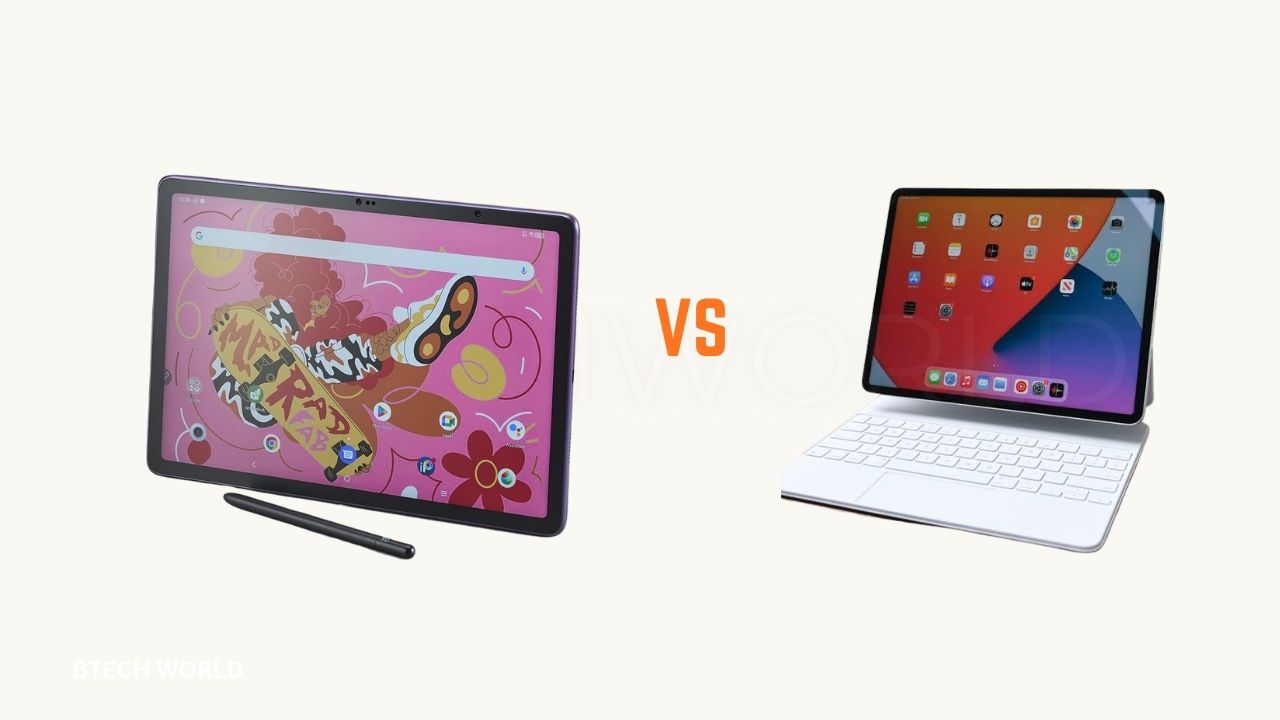
XPPen Magic Pro 13 vs iPad Pro Price, Performance, and Art

Choosing between the XPPen Magic Pro 13 and Apple iPad Pro can be challenging for digital artists, illustrators, designers, and students. Both devices offer advanced drawing capabilities, but they approach creative work differently. XPPen focuses on a drawing-first experience with a paper-like screen and a specialized stylus, while Apple’s iPad Pro combines powerful hardware with a broad selection of creative applications.
In this XPPen Magic Pro 13 vs iPad Pro comparison, we examine their prices, displays, stylus performance, processing power, software, and overall value. The goal is to help you understand which device better suits your artistic workflow and budget. We also explore the strengths and limitations of each option before making a final recommendation.
What Is the XPPen Magic Pro 13?
The XPPen Magic Pro 13 is a standalone drawing tablet designed for artists who want to create digital artwork without carrying a traditional computer. It runs Android 16 and features a 12.95-inch display with a resolution of 3096 × 2064 pixels. Its 3:2 screen ratio provides a comfortable workspace for sketching, illustration, and other creative projects.
One of its most distinctive features is Drawing Display Mode, which allows the tablet to connect to a compatible computer and function as a drawing display. The device also includes a MediaTek Dimensity 8300 processor, 8GB of memory, 256GB of storage with expansion support, and an X4 Smart Chip Stylus. These features make it appealing to artists who want portable drawing tools and the flexibility to work with a desktop setup.
What Is the Apple iPad Pro?
The Apple iPad Pro is a premium tablet designed for demanding creative and professional tasks. The current M5 generation offers 11-inch and 13-inch models, an Ultra Retina XDR display, and powerful Apple silicon processing. It supports Apple Pencil Pro and Apple Pencil USB-C, giving artists different options for drawing, handwriting, and digital design.
Unlike a dedicated drawing-focused tablet, the iPad Pro is also designed for video editing, photography, productivity, entertainment, and everyday computing. Its iPadOS software ecosystem includes popular creative applications such as Procreate and professional design tools. This flexibility makes it attractive to artists who want one device for several different tasks rather than a tablet primarily focused on drawing.
XPPen Magic Pro 13 vs iPad Pro: Key Specifications
The following table highlights the main differences between the two devices. It compares the Magic Pro 13 with the current M5-generation iPad Pro, although specifications can vary by configuration.
| Feature | XPPen Magic Pro 13 | Apple iPad Pro |
|---|---|---|
| Display size | 12.95 inches | 11 or 13 inches |
| Display resolution | 3096 × 2064 | 2420 × 1668 or 2752 × 2064 |
| Refresh rate | Up to 120Hz | Up to 120Hz with ProMotion |
| Display technology | LCD with paper-like surface | Ultra Retina XDR OLED |
| Processor | MediaTek Dimensity 8300 | Apple M5 |
| Memory | 8GB | 12GB or 16GB, depending on configuration |
| Base storage | 256GB | 256GB |
| Operating system | Android 16 | iPadOS |
| Stylus | X4 Smart Chip Stylus | Apple Pencil Pro or Apple Pencil USB-C |
| Battery capacity | 10,200mAh | Battery capacity varies by model |
| Main purpose | Drawing-focused creative tablet | Premium all-purpose tablet |
Display and Screen Quality
The XPPen Magic Pro 13 features a high-resolution LCD screen with a 120Hz refresh rate and a paper-like surface designed to make drawing feel more natural. Its nano-etched glass helps reduce the slippery feeling associated with smooth tablet screens. The display also supports broad color coverage, making it suitable for illustration, concept art, and other color-focused projects.
The iPad Pro uses an Ultra Retina XDR display based on OLED technology, delivering excellent contrast, deep blacks, and vivid colors. Its adaptive refresh rate supports smooth scrolling and stylus interaction. For artists who regularly review high-quality photographs, edit video, or work with rich visual content, the iPad Pro offers a more premium display experience. However, artists who prefer a textured drawing surface may find XPPen more comfortable.
Stylus and Drawing Experience
The XPPen Magic Pro 13 comes with the X4 Smart Chip Stylus, which supports 16,384 pressure levels, tilt detection, and a low initial activation force. These features help the pen respond to subtle pressure changes during sketching, shading, and line work. Its paper-like screen surface can also provide additional friction, giving artists a drawing sensation closer to working on textured paper.
Apple’s iPad Pro supports Apple Pencil Pro, which offers pressure sensitivity, tilt recognition, hover support on compatible models, and additional creative controls. Its integration with supported apps can make switching tools and adjusting brush settings convenient. Both devices can provide a responsive drawing experience, but pressure-level numbers alone do not determine which stylus feels better. Pen calibration, app optimization, screen texture, and personal preference all influence the final result.
Performance and Processing Power
The XPPen Magic Pro 13 uses the MediaTek Dimensity 8300 processor and 8GB of memory. This hardware is designed to support Android applications, multitasking, and demanding drawing activities. Its 256GB of internal storage provides space for projects, reference images, and installed applications, while supported storage expansion offers additional flexibility for artists with growing collections of artwork.
The M5 chip in the iPad Pro is designed for high-performance computing and graphics-intensive applications. Combined with its available memory configurations, it provides substantial processing capability for complex illustrations, photo editing, animation, and video production. Although both devices are suitable for creative work, they run different operating systems and applications, so their performance cannot be judged from processor specifications alone. Your preferred software and project complexity should guide the decision.
Price Comparison: Which Device Offers Better Value?
Price is one of the most important differences between the XPPen Magic Pro 13 and iPad Pro. XPPen listed the Magic Pro 13 at an introductory price of around $899, with its regular listed price around $999. Prices, promotions, and availability may vary by region. The iPad Pro M5 starts at $1,199 for the 11-inch model and $1,499 for the 13-inch model in Apple’s US store.
The iPad Pro’s initial price does not necessarily include the Apple Pencil you want. Apple Pencil Pro is an additional purchase, and a compatible keyboard costs extra as well. The XPPen’s included stylus makes its drawing-focused package easier to budget for. Before purchasing either device, compare local prices, warranty coverage, import costs, included accessories, and any paid applications you expect to use.
Explore Program Analysis Techniques Every Software Developer Should Know
Creative Apps and Software Compatibility
The XPPen Magic Pro 13 runs Android, giving users access to compatible drawing applications and general-purpose apps. This arrangement works well for artists who prefer Android-based creative tools and want to work without a computer. Its Drawing Display Mode also offers a way to connect with a compatible PC for desktop-based workflows, which can be valuable for artists who use computer software for more advanced projects.
The iPad Pro benefits from a strong creative software ecosystem. Applications such as Procreate, Adobe Fresco, and other compatible illustration and editing tools make it a versatile choice for digital artists. Software availability and features vary, so check that your preferred applications support the tasks you need. If Procreate is central to your workflow, the iPad Pro is the more suitable choice because Procreate is designed for iPad rather than Android.
Pros and Cons of Both Devices
XPPen Magic Pro 13
Pros
- Paper-like display surface designed for drawing comfort.
- X4 Smart Chip Stylus included with the device.
- Standalone Android operation without requiring a computer.
- Up to 120Hz refresh rate and high-resolution display.
- Expandable storage and computer-based Drawing Display Mode.
Cons
- Android does not offer every creative application available on iPad.
- LCD technology does not deliver the same OLED contrast as the iPad Pro.
- Its drawing-display feature requires a compatible computer and connection.
- Its long-term software experience depends on Android and app support.
Apple iPad Pro
Pros
- High-quality OLED display with excellent contrast and color.
- Powerful M5 processor for demanding creative workloads.
- Broad selection of professional drawing and editing applications.
- Apple Pencil Pro support and deep integration with iPadOS.
- Suitable for art, work, entertainment, and productivity.
Cons
- Higher starting price than the XPPen Magic Pro 13.
- Apple Pencil and keyboard accessories can increase the total cost.
- Storage is not expandable through a memory card.
- The smooth screen may feel slippery to artists who prefer textured surfaces.
Which Device Is Better for Different Users?
Best for Beginner Artists
The XPPen Magic Pro 13 is worth considering for beginners who mainly want to draw and prefer a textured screen. Its included stylus and standalone operation provide a convenient starting point for learning digital illustration. However, beginners should also compare the available Android drawing applications before buying, particularly if they plan to follow tutorials that use specific software.
The iPad Pro is another strong option for beginners who want access to a wide range of creative apps and expect to use the tablet for other activities. Its higher price may be difficult to justify if drawing is the only priority. For users who can afford it and want an all-purpose creative device, the iPad Pro offers more flexibility beyond illustration.
Best for Professional Illustrators
Professional illustrators should choose according to their software requirements and working style. The XPPen Magic Pro 13 is appealing to artists who value a paper-like surface and want to use the device independently or connect it to a compatible computer. Its dedicated drawing features may suit sketching, character design, and illustration workflows.
The iPad Pro is a better fit for professionals who rely on iPad-specific software, want a high-end OLED display, or need a versatile device for several creative disciplines. App compatibility can be especially important when working with clients or collaborators. Before committing, confirm that your essential brushes, file formats, cloud services, and export workflows operate correctly on your chosen platform.
Best for Students and Everyday Use
Students who mainly need drawing, handwritten notes, and educational applications may find the XPPen Magic Pro 13 sufficient for their needs. Its drawing-focused design makes it useful for visual notes, diagrams, and creative assignments. It can also suit students who want a standalone tablet without paying for a premium general-purpose device.
The iPad Pro is more suitable for students who need a broad range of productivity and creative applications, along with strong performance for multitasking. It can handle tasks beyond drawing, including document work, video editing, and media consumption. However, students should compare less expensive tablets too, because neither of these devices is necessary for every study routine.
Conclusion
The XPPen Magic Pro 13 and Apple iPad Pro serve different priorities. XPPen offers a drawing-first design, a textured screen, an included stylus, expandable storage, and a mode for connecting to a compatible computer. These features make it a compelling option for artists who care about drawing comfort and want a dedicated creative tool at a lower starting price.
The iPad Pro stands out for its OLED display, M5 processing power, and broad creative software ecosystem. It is the better choice for users who need iPad-specific apps or want one premium device for drawing, design, editing, and everyday productivity. Ultimately, choose XPPen for a drawing-focused experience and consider iPad Pro for broader creative versatility. Compare local prices and verify software compatibility before making your final decision.
Frequently Asked Questions
Is the XPPen Magic Pro 13 Better Than the iPad Pro for Drawing?
It depends on your preferences. The XPPen offers a paper-like screen surface and a drawing-focused design, while the iPad Pro provides an OLED display and broad app support. The better option is the one that suits your preferred software, drawing technique, and budget.
Does the XPPen Magic Pro 13 Work Without a Computer?
Yes. The Magic Pro 13 runs Android 16 and can operate as a standalone tablet. Its Drawing Display Mode is an additional feature that allows it to work with a compatible computer.
Which Stylus Is Better for Digital Art?
The X4 Smart Chip Stylus and Apple Pencil Pro both support advanced drawing features. The XPPen stylus offers high pressure sensitivity and works with a paper-like surface, while Apple Pencil Pro benefits from integration with supported iPad apps. Personal preference and app compatibility matter more than pressure-level numbers alone.
Is the iPad Pro Worth the Extra Cost for Artists?
It can be worth the additional cost if you need its display quality, processing performance, or iPad-specific creative applications. Artists who mainly sketch and illustrate may find a drawing-focused device such as the XPPen Magic Pro 13 a better match for their budget.
Which Device Is Better for Beginners?
The XPPen Magic Pro 13 may suit beginners who prioritize drawing comfort and want a stylus included. The iPad Pro is attractive for beginners who want access to a wide selection of drawing apps and additional productivity features. Both can support learning digital art.
Can Both Devices Run Professional Drawing Apps?
Both devices support creative applications, but they do not run the same software. The XPPen Magic Pro 13 uses Android, while the iPad Pro uses iPadOS. Check the requirements of your preferred drawing app before purchasing either device.
Explore More BTECH WORLD