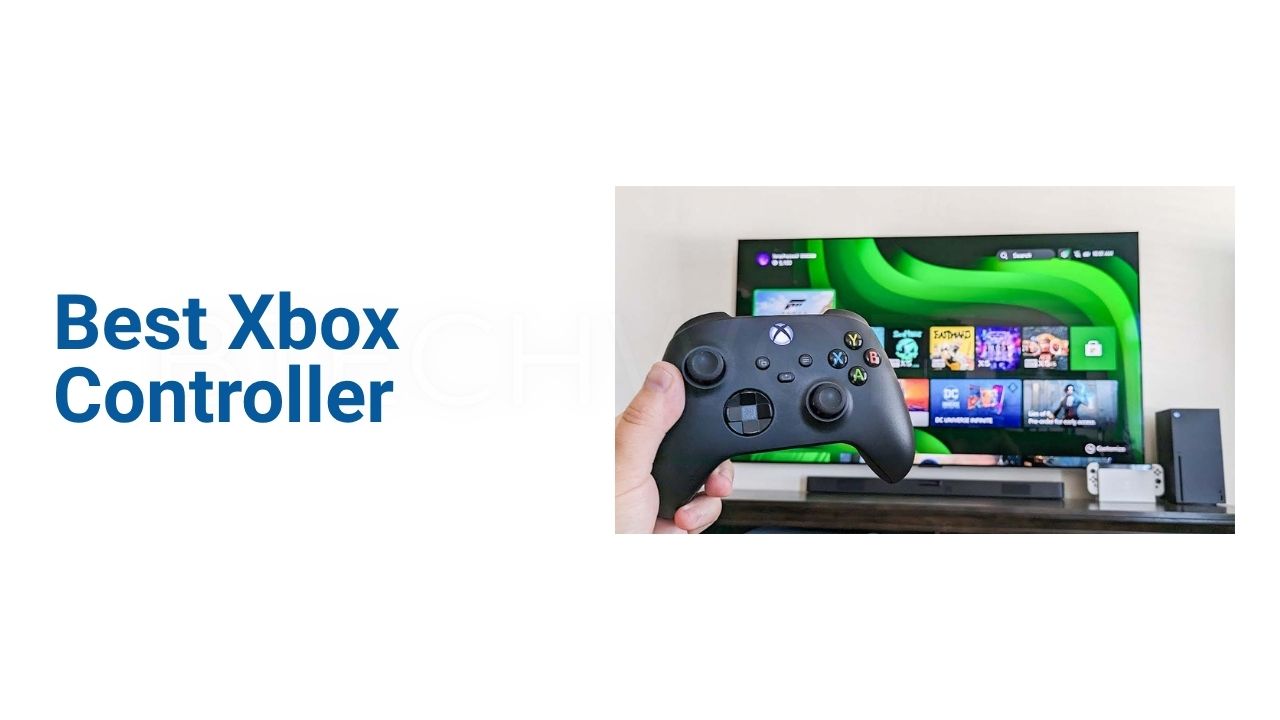
Best Xbox Controller: Features, Performance, Comfort, and Buying Guide

Choosing the best Xbox controller can make a noticeable difference in how comfortable and responsive gaming feels. A good controller should offer accurate sticks, responsive buttons, a dependable wireless connection, comfortable grips, and a layout that feels natural during long sessions. Xbox players also have several options, from the standard Xbox Wireless Controller to the more customizable Elite Wireless Controller Series 2.
The standard Xbox Wireless Controller is designed for Xbox Series X|S, Xbox One, Windows PC, Android, and iOS. It includes textured grips, a hybrid D-pad, a dedicated Share button, Bluetooth, and a 3.5mm headset jack. For competitive players, the Elite Series 2 adds adjustable thumbstick tension, trigger locks, interchangeable components, paddles, and customizable profiles.
What Makes the Best Xbox Controller?
The right controller depends on your gaming style. Casual players may prefer a simple and reliable model, while competitive gamers can benefit from additional controls and customization.
The most important factors include comfort, button responsiveness, thumbstick accuracy, D-pad quality, wireless connectivity, battery options, and durability. PC gamers should also check compatibility before purchasing.
A controller should feel comfortable without forcing your hands into an awkward position. Small differences in shape and grip can become important during long gaming sessions.
Xbox Wireless Controller: The Standard Choice
The standard Xbox Wireless Controller is a strong choice for most players. Microsoft describes it as having a modernized design with sculpted surfaces and refined geometry for improved comfort. It also includes textured triggers and grips along with a hybrid D-pad.
The controller connects wirelessly to Xbox consoles and can use Bluetooth with compatible Windows PCs, Android devices, and iOS devices. It also includes a 3.5mm stereo headset jack for compatible headphones and headsets.
Another useful addition is the dedicated Share button. Players can use it to capture and share screenshots and recordings without navigating through additional menus.
Comfort and Ergonomics
Comfort is one of the most important qualities in a gaming controller. A controller may have excellent features, but those features matter less if your hands become tired after an hour.
The Xbox Wireless Controller uses textured surfaces and a familiar Xbox layout. Its shape is designed to provide a secure grip while keeping the main controls within easy reach.
The Elite Series 2 takes the grip concept further with a wrap-around rubberized surface. Microsoft designed the controller for extended gameplay and competitive use.
When choosing a controller, consider its weight as well. Heavier models can feel substantial, while lighter designs may be easier to hold for long periods.
Buttons and D-Pad
Button quality can affect everything from casual exploration to competitive gameplay. The A, B, X, and Y buttons should provide consistent feedback, while the triggers need enough resistance for racing, shooting, and other games.
The standard Xbox controller uses a hybrid D-pad. This design works well for menus and many games that require directional inputs.
The Elite Series 2 provides additional customization. Its components include interchangeable thumbsticks and D-pad options, allowing players to change the controller according to their preferences.
Thumbstick Performance
Thumbsticks are particularly important in shooters, racing games, sports titles, and third-person action games. Accurate movement and aiming can directly affect gameplay.
The standard Xbox controller provides a familiar dual-stick layout that works across Xbox and PC games. For most players, it provides enough control for everyday gaming.
Competitive users may want additional adjustment options. The Elite Series 2 allows players to manually adjust thumbstick tension and change sensitivity curves through the Xbox Accessories app. Microsoft provides three thumbstick tension settings.
Xbox Elite Wireless Controller Series 2
The Xbox Elite Wireless Controller Series 2 is designed for players who want greater control and customization. Microsoft describes it as a controller with more than 30 ways to play and customize the experience.
It includes adjustable-tension thumbsticks, shorter hair-trigger locks, a rubberized grip, interchangeable components, and assignable paddles.
Players can also create custom button configurations through the Xbox Accessories app. The controller supports up to three custom profiles alongside a default profile, which can be switched using the Profile button.
For competitive gaming, these options can provide more flexibility than a standard controller.
Wireless Connectivity and Compatibility
Wireless connectivity is another major consideration. The standard Xbox Wireless Controller uses Xbox Wireless technology with Xbox consoles and Bluetooth for compatible PCs and mobile devices.
Microsoft lists compatibility with Xbox Series X, Xbox Series S, Xbox One, Windows 10/11, Android, and iOS, although device and operating-system compatibility can vary.
The Elite Series 2 supports Xbox Wireless, Bluetooth, and USB-C connectivity. This makes it useful for players who move between Xbox consoles, PCs, and mobile devices.
Battery Life
Battery design is an important difference between Xbox controller models.
The standard Xbox Wireless Controller uses AA batteries and is rated by Microsoft for up to 40 hours of battery life under its testing conditions. Actual battery life can vary depending on accessories, usage, and other factors.
The Elite Series 2 uses an internal rechargeable battery. Microsoft rates it for up to 40 hours per charge, although actual results vary.
For players who prefer rechargeable controllers, the Elite Series 2 has an advantage. Standard-controller users can also use Microsoft’s rechargeable battery accessories instead of replacing AA batteries.
Customization Options
Customization is where the Elite Series 2 separates itself from the standard model.
Players can remap controls through the Xbox Accessories app. The Elite controller also supports interchangeable thumbsticks, D-pads, and paddles. These options allow players to create different setups for different games.
For example, a racing player may prefer one thumbstick configuration, while a competitive shooter player may want a different setup.
The standard controller offers less physical customization, but it keeps the experience simpler and more affordable.
Best Xbox Controller for PC Gaming
The standard Xbox Wireless Controller is an excellent option for PC players because of its broad Windows compatibility and Bluetooth support. Microsoft also supports wired USB connectivity on compatible configurations.
Its familiar Xbox button layout also works naturally with many PC games designed around controller input.
The Elite Series 2 is better suited to PC players who want advanced customization. Its Xbox Accessories app allows users to change button mappings and create profiles.
Before buying, check whether your PC has Bluetooth. If it does not, a compatible USB connection or Xbox Wireless Adapter may be required.
Best Xbox Controller for Competitive Gaming
Competitive players often benefit from features that reduce unnecessary hand movement and allow faster inputs.
The Elite Series 2 offers four rear paddles, adjustable thumbstick tension, hair-trigger locks, and customizable controls. These features can be particularly useful in shooters and other games where quick reactions matter.
However, customization does not automatically make someone a better player. The biggest benefit comes from having controls that match your personal play style.
Wired vs Wireless Xbox Controllers
Wireless controllers provide freedom from cables and are convenient for living-room gaming. Bluetooth also makes compatible controllers useful with PCs and mobile devices.
Wired controllers have their own advantages. They do not require battery charging during play, and the direct connection can be convenient for players who prefer a permanent setup.
The Elite Series 2 supports both wireless connections and USB-C, while the standard controller also supports wired play through compatible USB-C configurations.
The better option depends on your setup and personal preference.
Xbox Controller Features at a Glance
| Feature | Xbox Wireless Controller | Elite Wireless Controller Series 2 |
|---|---|---|
| Xbox Series X|S | Yes | Yes |
| Xbox One | Yes | Yes |
| Windows PC | Yes | Yes |
| Mobile Devices | Select devices | Select devices |
| Xbox Wireless | Yes | Yes |
| Bluetooth | Yes | Yes |
| USB-C | Compatible models | Yes |
| 3.5mm Headset Jack | Yes | Yes |
| Rechargeable Battery | Optional accessory | Built-in |
| Battery Rating | Up to 40 hours with AA | Up to 40 hours |
| Adjustable Thumbsticks | No | Yes |
| Rear Paddles | No | Yes |
| Custom Profiles | App-based customization | Up to 3 custom profiles + default |
| Interchangeable Components | No | Yes |
Specifications and compatibility can vary by model, device, operating system, and included accessories.
Which Xbox Controller Should You Buy?
For most gamers, the standard Xbox Wireless Controller is the easiest recommendation. It provides the core Xbox experience without the additional cost and complexity of a premium controller.
It is especially suitable for casual gaming, multiplayer games, PC gaming, and players who simply want a reliable gamepad.
The Elite Series 2 makes more sense for competitive players and enthusiasts. Its adjustable sticks, paddles, trigger locks, profiles, and interchangeable components provide considerably more customization.
Your budget should also influence the decision. If you do not plan to use advanced controls, spending more on an Elite controller may not provide much practical benefit.
What to Check Before Buying
Before choosing the best Xbox controller, consider these factors:
- Comfort: Make sure the shape and weight suit your hands.
- Compatibility: Check Xbox, PC, or mobile support for your devices.
- Connectivity: Decide whether you prefer Xbox Wireless, Bluetooth, USB-C, or a combination.
- Battery: Consider AA batteries versus an internal rechargeable battery.
- Customization: Competitive players may benefit from paddles and adjustable sticks.
- D-pad: Important for fighting games, menus, sports titles, and directional inputs.
- Triggers: Check their feel if you play racing or shooting games.
- Price: Avoid paying for features you will not use.
- Durability: A controller used daily should have a strong construction.
- Warranty: Check the warranty and retailer return policy before purchasing.
Final Verdict
The best Xbox controller depends on how you play. The standard Xbox Wireless Controller remains the practical choice for most gamers because it combines a comfortable design, familiar controls, wireless connectivity, PC and mobile compatibility, and a dedicated Share button.
For players who want advanced controls, the Xbox Elite Wireless Controller Series 2 provides a much deeper level of customization. Adjustable thumbsticks, hair-trigger locks, interchangeable components, paddles, and custom profiles make it especially attractive for competitive gaming.
Ultimately, the best controller is the one that fits your hands, works with your devices, and provides the features you will actually use. For everyday Xbox gaming, the standard model offers excellent simplicity. For serious customization, the Elite Series 2 is the stronger choice.
Conclusion
A good controller should make gaming feel natural rather than distracting you from the game. Comfort, responsive controls, reliable connectivity, and battery performance should therefore be considered before extra features.
The standard Xbox Wireless Controller is a balanced option for most players, while the Elite Wireless Controller Series 2 targets gamers who want professional-style customization. Both support Xbox gaming, while also offering compatibility with other supported devices.
Take your gaming habits and budget into account before buying. A simple controller can be the better choice for everyday gaming, while advanced controls become more valuable for competitive players.
FAQs
What is the best Xbox controller for most gamers?
The standard Xbox Wireless Controller is a strong choice for most gamers because it offers comfortable ergonomics, Xbox Wireless, Bluetooth, a hybrid D-pad, a Share button, and broad device compatibility.
Is the Xbox Elite Series 2 worth buying?
It can be worth buying for competitive gamers who will use its adjustable thumbsticks, paddles, trigger locks, interchangeable components, and custom profiles.
Can Xbox controllers work on PC?
Yes. The Xbox Wireless Controller supports compatible Windows PCs through Bluetooth, while USB connectivity is also available on compatible configurations.
How long does an Xbox controller battery last?
Microsoft rates the standard Xbox Wireless Controller for up to 40 hours using AA batteries. The Elite Series 2 is rated for up to 40 hours using its internal rechargeable battery. Actual battery life varies with usage and accessories.
Is the Elite Series 2 better than the standard Xbox controller?
The Elite Series 2 offers more customization and advanced controls, but that does not mean it is better for everyone. The standard controller is simpler and can be a better value for players who do not need premium features.
Explore More: BTECH WORLD