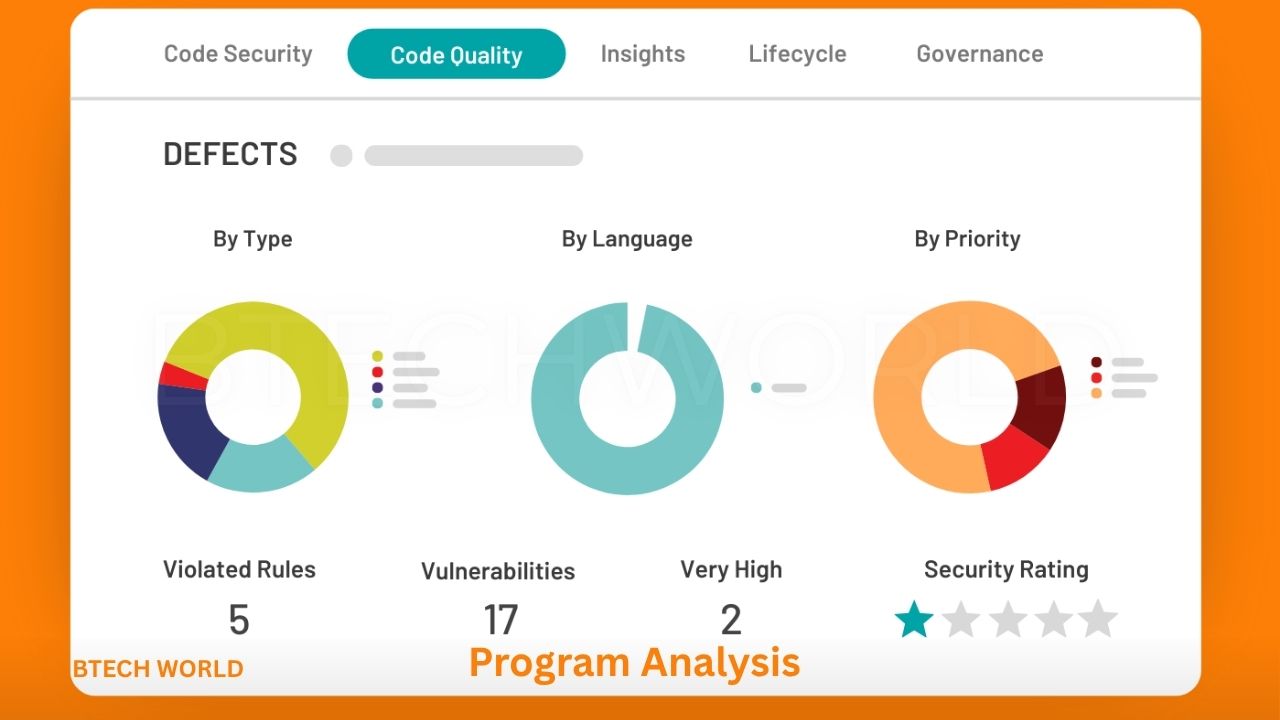
Program Analysis Techniques Every Software Developer Should Know

Program analysis is an essential part of modern software development. It helps developers understand how code behaves, identify potential bugs, improve performance, and detect security weaknesses before they become serious problems. As applications grow more complex, reviewing code manually is often not enough. Developers need reliable techniques to evaluate software systematically and maintain its quality throughout the development process.
From static code inspection to runtime monitoring, program analysis offers several approaches for examining software. Each technique serves a different purpose, and choosing the right one depends on the application’s requirements, programming language, and potential risks. Understanding these methods can help developers build more reliable, secure, and maintainable applications.
What Is Program Analysis?
Program analysis is the process of examining software to understand its structure, behavior, correctness, and resource usage. It can involve reviewing source code without running it, executing a program under controlled conditions, or applying mathematical techniques to reason about possible program behaviors.
Developers use program analysis to discover coding mistakes, investigate unexpected results, detect security vulnerabilities, and understand complicated software systems. It also supports code optimization by revealing inefficient operations and unnecessary resource consumption.
Program analysis is not limited to large software companies or specialized research teams. Individual developers can use linters, debuggers, profilers, automated testing tools, and security scanners in everyday projects. Combining these methods creates a more complete picture of software quality.
Static Program Analysis
Static program analysis examines source code or compiled representations without executing the program. Tools inspect code structures, variable usage, control flow, and other properties to identify potential problems before runtime.
Common examples include detecting unused variables, unreachable code, suspicious type conversions, and certain security weaknesses. Static analysis can also identify paths that may lead to null-pointer errors or improper resource handling.
One major advantage is early feedback. Developers can find issues while writing code instead of waiting for a test or production incident to reveal them. However, static analysis may produce false positives or miss problems that depend on runtime conditions. Developers should review findings rather than treating every warning as a confirmed defect.
Dynamic Program Analysis
Dynamic program analysis examines software while it runs. Developers execute an application with selected inputs and observe its behavior, memory usage, execution paths, and interactions with other components.
This technique is useful for investigating problems that are difficult to identify from source code alone. For example, runtime analysis can reveal memory leaks, race conditions, unexpected exceptions, and performance bottlenecks under particular workloads.
Dynamic analysis depends on the scenarios being tested. A problem may remain undiscovered if the program never encounters the conditions that trigger it. For this reason, developers should combine runtime analysis with effective testing and, where appropriate, static analysis.
Control Flow and Data Flow Analysis
Control Flow Analysis
Control flow analysis examines the possible order in which instructions execute. It represents program logic through structures such as control-flow graphs, where nodes represent operations or basic blocks and edges represent possible transitions.
Developers and analysis tools use this information to identify unreachable statements, understand complicated branching logic, and examine loops. Control flow analysis is also important in compiler optimization, testing, and security research.
For example, a function with many nested conditions may contain a branch that can never execute. A control-flow graph can help reveal this situation and make the logic easier to understand.
Data Flow Analysis
Data flow analysis tracks how values move through a program and how variables are defined, modified, and used. It helps identify problems such as variables being used before initialization, redundant assignments, and values that never affect the program’s output.
Compilers also use data flow analysis to optimize code. Techniques such as constant propagation and dead-code elimination can simplify operations or remove instructions that do not contribute to a result.
These two methods often work together. Control flow describes possible execution paths, while data flow examines how information moves along those paths.
Symbolic Execution
Symbolic execution analyzes a program using symbolic inputs instead of assigning every input a concrete value. Rather than running a function with a specific number, an analysis tool may represent that input as a variable and derive conditions that must hold for different execution paths.
This technique can help developers discover edge cases, generate test inputs, and identify conditions that lead to errors. For example, symbolic execution may explore whether a division operation can receive a zero value or whether an input can reach an unsafe branch.
The main challenge is path explosion. As programs contain more branches and loops, the number of possible execution paths can grow rapidly. Modern tools use constraints, path prioritization, and other strategies to make symbolic execution more practical.
Abstract Interpretation
Abstract interpretation is a mathematical framework for analyzing program behavior using simplified representations of program states. Instead of tracking every possible concrete value, an analyzer works with abstractions that preserve properties relevant to the analysis.
For example, a tool might track whether a variable can be negative, positive, or zero without calculating every value it could hold. This can help detect possible errors and prove certain properties across many execution paths.
Abstract interpretation forms the foundation of several static analysis techniques. Its strength is the ability to reason about broad sets of program behaviors without executing every possible input. However, the chosen abstraction affects precision, and some results may be conservative rather than exact.
Program Testing and Coverage Analysis
Testing is closely related to program analysis because it provides evidence about whether software behaves as expected. Unit tests examine individual functions, integration tests evaluate interactions between components, and system tests assess complete applications.
Coverage analysis measures which parts of a program are exercised during testing. Statement coverage checks executed statements, while branch coverage examines whether decision outcomes have been tested. Other measures can evaluate functions, conditions, or execution paths.
Coverage metrics help teams identify areas that need additional tests, but high coverage does not guarantee defect-free software. Tests must also contain meaningful assertions and representative inputs. Combining coverage analysis with static checks and runtime debugging provides a stronger quality process.
Performance Profiling and Memory Analysis
Performance analysis focuses on how efficiently a program uses processing time, memory, network resources, and other system capabilities. Profilers help developers identify functions that consume excessive time or are called more frequently than expected.
A CPU profiler can reveal expensive calculations, while a memory profiler can help identify excessive allocations or objects that remain in memory unnecessarily. Other tools can examine database queries, network activity, and application response times.
The most effective approach is to measure performance before optimizing. Developers should reproduce realistic workloads, collect useful measurements, and investigate the largest bottlenecks first. Optimizing code without evidence can waste time or make software more complicated without producing meaningful improvements.
Security-Focused Program Analysis
Security analysis examines software for weaknesses that attackers might exploit. Depending on the tool and method, it can identify unsafe input handling, injection risks, insecure data flows, weak cryptographic practices, and improper access controls.
Static application security testing analyzes source code or related artifacts, while dynamic application security testing examines a running application. Interactive application security testing combines aspects of both approaches by observing application behavior during execution.
Developers can also use taint analysis to track potentially untrusted data as it moves through a system. For example, a tool may follow user-controlled input toward a database query and flag a potentially unsafe operation.
No single technique finds every vulnerability. Security-focused program analysis works best alongside code review, dependency scanning, threat modeling, and appropriate security testing.
Choosing the Right Program Analysis Tools
The best tool depends on the programming language, project size, development environment, and problems the team wants to detect. Some tools focus on style and common coding mistakes, while others specialize in security, formal verification, performance, or runtime behavior.
For example, Python developers may use Ruff for linting and related code checks, while JavaScript and TypeScript developers may use ESLint. C and C++ projects can benefit from Clang Static Analyzer, while language-specific debuggers and profilers help investigate runtime behavior. Security teams may also use dedicated static analysis tools that examine potentially dangerous data flows.
Before selecting a tool, developers should consider language support, integration with their editor or continuous integration pipeline, reporting quality, configuration options, and maintenance requirements. Starting with a small set of relevant checks is often more productive than introducing many overlapping tools at once.
Best Practices for Effective Program Analysis
Effective program analysis should be part of the development workflow rather than an occasional cleanup activity. Developers can run fast static checks while writing code, execute automated tests before merging changes, and perform deeper security or performance analysis at appropriate stages.
Teams should prioritize findings according to severity, likelihood, and business impact. They should also distinguish confirmed problems from warnings that require investigation. This prevents developers from spending too much time on low-value alerts while important defects remain unresolved.
Analysis results become more useful when teams track recurring issues and improve their coding standards. Documenting important findings, reviewing configuration regularly, and updating tools help maintain reliable results as software evolves.
Conclusion
Program analysis gives software developers practical ways to understand code, identify defects, improve performance, and strengthen security. Static and dynamic analysis provide complementary perspectives, while control flow, data flow, symbolic execution, and abstract interpretation offer deeper insights into program behavior.
Testing, profiling, and security analysis add further evidence about how applications perform under realistic conditions. The most effective strategy combines suitable techniques rather than relying on a single tool. By integrating program analysis into everyday development, teams can identify problems earlier, reduce maintenance costs, and produce more dependable software.
Frequently Asked Questions
1. What is program analysis in software development?
Program analysis is the examination of software to understand its behavior, correctness, performance, and security. It can involve analyzing code without running it or observing a program during execution.
2. What are the main types of program analysis?
The main approaches include static analysis, dynamic analysis, control flow analysis, data flow analysis, symbolic execution, abstract interpretation, and performance or security analysis.
3. What is the difference between static and dynamic program analysis?
Static analysis examines code without executing it, while dynamic analysis observes software as it runs. Static analysis can identify potential issues early, whereas dynamic analysis helps investigate behavior under specific runtime conditions.
4. Which tools are commonly used for program analysis?
Common tools include Ruff, ESLint, Clang Static Analyzer, debuggers, profilers, automated testing frameworks, and specialized application security scanners. The appropriate choice depends on the language and analysis objective.
5. Why is program analysis important?
Program analysis helps developers discover defects, improve code quality, identify security weaknesses, understand performance problems, and maintain software more effectively throughout its lifecycle.
Explore More BTECH WORLD