Quad Equalizer: What It Is, How It Works, and Why It Matters

Sound quality can change significantly depending on how different frequencies are balanced. Music may sound too bass-heavy, vocals may lack clarity, or high notes may feel sharp and uncomfortable. A Quad Equalizer can help address these issues by allowing users to adjust specific parts of an audio signal. It offers a practical way to shape sound for music, recordings, speakers, headphones, and other audio applications.
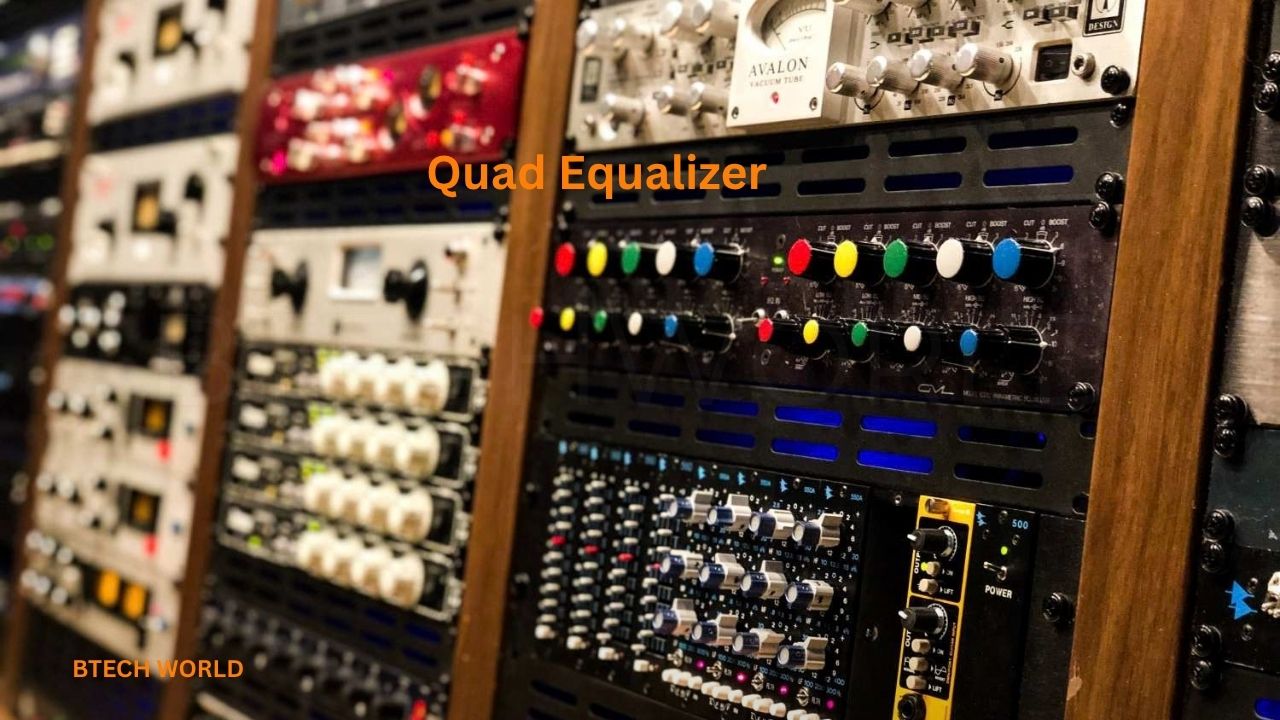
The term usually refers to a four-band equalizer, although its exact meaning depends on the device or technical context. A typical audio version provides controls for low, low-mid, high-mid, and high frequencies. These adjustments help listeners and audio professionals improve tonal balance without changing every part of the sound equally. Understanding how a Quad Equalizer works makes it easier to use its controls effectively.
What Is a Quad Equalizer?
A Quad Equalizer is commonly understood as an audio equalization system with four adjustable frequency bands. An equalizer, often called an EQ, changes the level of selected frequencies within an audio signal. Users can increase a frequency range to emphasize certain sounds or reduce it to control unwanted qualities.
For example, reducing excessive bass can make a recording sound less muddy, while a small adjustment to the midrange may help vocals stand out. High-frequency changes can also affect brightness and detail. The exact frequency ranges depend on the equipment, so not every four-band equalizer uses identical settings.
The word “quad” means four, but it does not always describe four frequency bands. Some technical products use the term for four independent signal channels. Texas Instruments, for example, produces a DisplayPort quad equalizer that compensates for transmission losses across four high-speed data channels. Therefore, checking the device specifications is important before assuming what a particular Quad Equalizer does.
How Does a Quad Equalizer Work?
An audio equalizer processes a signal and adjusts selected frequency ranges according to the user’s settings. These changes are usually measured in decibels (dB). A positive gain setting boosts a frequency range, while a negative setting reduces it.
A four-band equalizer divides tone control into four sections. Each section affects a different part of the sound spectrum, although the frequency boundaries and filter designs vary by model. Some devices offer simple fixed controls, while others let users choose a frequency, gain level, and bandwidth for more precise adjustments.
Professional equipment may also provide a parameter called Q, which controls the width of the affected frequency range. A narrow adjustment targets a smaller range, while a wider adjustment influences more surrounding frequencies. Shure documents these controls in its four-band parametric equalizers.
Understanding the Four Frequency Bands
1. Low Frequencies
The low band controls bass and other low-frequency sounds. It affects the weight of kick drums, bass guitars, deep musical notes, and similar elements. Increasing this range can make music feel fuller, but excessive boosting may create a boomy or muddy result.
Reducing the low frequencies can help control unwanted rumble or overpowering bass. However, too much reduction may make music sound thin. The best adjustment depends on the recording, speakers, headphones, and listening environment.
2. Low-Mid Frequencies
The low-mid band influences warmth, body, and fullness. It plays an important role in vocals, guitars, keyboards, and many other instruments. Too much energy in this region can make audio sound boxy or congested, particularly when several instruments compete for the same space.
A careful reduction may improve separation between sounds. On the other hand, cutting too much can remove warmth and make voices or instruments sound weak. Small adjustments usually work better than dramatic changes.
3. High-Mid Frequencies
The high-mid band contributes to vocal presence, instrument attack, and the definition of many musical details. Adjusting this range can help a voice sound more forward or make certain instruments easier to distinguish.
Excessive boosting may make vocals aggressive or cause instruments to sound harsh. If a recording feels tiring to listen to, a small reduction in the troublesome area may help. The result depends on the source material and the specific frequency being adjusted.
4. High Frequencies
The high band affects treble, brightness, and fine details such as cymbal shimmer and some vocal consonants. A modest boost can make a dull recording sound more open, while a reduction may soften excessive sharpness.
Too much treble can emphasize hiss, harshness, or other unwanted details. Every recording has a different tonal balance, so there is no single high-frequency setting that works best for every song or device.
Main Benefits of Using a Quad Equalizer
Improved Sound Balance
A Quad Equalizer gives users more control over tonal balance than basic bass-and-treble adjustments. It allows them to address different parts of the spectrum independently, helping reduce muddiness or excessive brightness while preserving the qualities they enjoy.
This flexibility can be useful when the same headphones or speakers play different types of recordings. Rather than increasing overall volume to make a particular sound more noticeable, users can adjust the frequency range that needs attention.
Better Vocal Clarity
Vocals can become difficult to hear when instruments or background sounds dominate the mix. Carefully adjusting the midrange may help speech and singing sound clearer without raising the volume of the entire recording.
However, equalization cannot restore every detail missing from a poor recording. The quality of the original audio, microphone placement, room acoustics, and playback equipment all influence the final result.
Flexible Listening Experiences
Different listeners prefer different sound profiles. Some enjoy powerful bass, while others prefer a more balanced presentation with clear vocals and restrained treble. A four-band EQ provides a straightforward way to experiment with these preferences.
It can also help users adapt sound to different environments. For example, a small adjustment may improve listening comfort when headphones sound too bright or speakers produce excessive bass in a particular room.
Where Is a Quad Equalizer Used?
Quad equalizers appear in different types of audio equipment and software. Their purpose and available controls depend on the specific application.
- Headphones and earphones: Adjust tonal balance to suit listening preferences or compensate for certain sound characteristics.
- Audio mixers: Shape microphones and instruments during live performances, rehearsals, or recording sessions.
- Music production software: Refine recordings, balance instruments, and improve the relationship between different audio elements.
- Home audio systems: Fine-tune music playback through compatible amplifiers, processors, or applications.
- Public-address systems: Help improve speech intelligibility and manage frequency problems in a room.
Shure’s audio documentation describes equalization applications that include improving speech intelligibility, reducing room-related irregularities, and tuning loudspeaker systems.
How to Adjust a Quad Equalizer Correctly
Start with a flat setting, where the EQ applies no intentional boost or cut. Listen to a familiar recording and identify the main issue before changing anything. Decide whether the sound is too bass-heavy, lacks warmth, needs clearer vocals, or has excessive treble.
Next, adjust one band at a time using small changes. Listen again and compare the result with the original setting. If the sound becomes less natural, reduce the adjustment or return to the previous setting. Avoid increasing several bands simply because more volume initially sounds impressive.
It is also useful to compare the EQ-enabled and EQ-disabled sound at similar loudness levels. This makes it easier to judge tonal changes rather than confusing greater volume with better sound quality. If your device offers a reset option, use it whenever you want to start again.
Quad Equalizer vs. Other Equalizer Types
A Quad Equalizer generally offers four frequency bands, providing a balance between simplicity and control. A basic tone control may offer only bass and treble adjustments, while a graphic equalizer can provide many separate frequency sliders.
A parametric equalizer offers additional precision by allowing users to adjust parameters such as frequency, gain, and Q. Some quad equalizers are parametric, while others use fixed frequencies or simpler filter designs. The number of bands alone does not determine how flexible an equalizer will be.
The best choice depends on the task. Casual listeners may find four bands sufficient for everyday adjustments. Audio professionals who need to correct narrow resonances or manage complex sound systems may benefit from a more detailed equalizer.
Common Mistakes to Avoid
One common mistake is making large boosts across several bands. These changes can make audio sound exaggerated and may reduce available signal headroom, increasing the risk of clipping in some systems. Starting with smaller adjustments usually produces more controlled results.
Another mistake is assuming that every recording needs the same EQ settings. Different songs, speakers, rooms, and headphones have different characteristics. A preset that works well for one setup may sound unbalanced on another.
Users should also avoid expecting equalization to solve every audio problem. A faulty speaker, poor recording, background noise, or badly positioned microphone may require a different solution. Equalization is a useful tool, but it works best when applied to the actual problem.
Why Quad Equalizer Still Matters
Equalization remains an important part of audio playback, recording, and sound production because different frequencies influence how people perceive sound. A four-band design makes this process more approachable by offering a small set of controls for broad tonal adjustments.
Its value comes from flexibility rather than a promise of perfect sound. Users can tailor audio to their preferences, improve clarity, and reduce certain tonal problems without needing an advanced studio setup. Learning what each band does can also make more complex audio tools easier to understand.
The name itself still requires some context. A four-band audio EQ is different from a four-channel signal equalizer used in digital electronics. Understanding that distinction helps users choose the right equipment and follow the correct instructions.
Conclusion
A Quad Equalizer is commonly associated with four-band audio equalization, which lets users adjust low, low-mid, high-mid, and high frequencies independently. These controls can help improve tonal balance, manage excessive bass or treble, and make vocals and instruments easier to hear.
The best results usually come from careful listening and modest changes rather than extreme boosts. Because the term can also describe four-channel signal-processing hardware, users should check the product’s specifications before making assumptions. When used appropriately, a Quad Equalizer provides a practical way to understand and shape sound.
Frequently Asked Questions
1. What is a Quad Equalizer used for?
A Quad Equalizer is commonly used to adjust four frequency areas in an audio signal. It can help users manage bass, warmth, vocal presence, and treble according to their listening or production needs.
2. Is a Quad Equalizer the same as a four-band equalizer?
In audio contexts, the terms are often used for a similar concept. However, “quad equalizer” can also describe equipment that processes four separate signal channels, so the exact meaning depends on the product.
3. Does a Quad Equalizer improve sound quality?
It can improve perceived sound balance when its settings address a real problem. Results depend on the recording, playback equipment, listening environment, and adjustments. Incorrect settings may make audio sound worse.
4. Should I boost bass and treble together?
Not necessarily. The right settings depend on the audio and your preferences. Start with a flat response, make small adjustments, and compare the result at a similar volume.
5. Can beginners use a Quad Equalizer?
Yes. Four-band controls are relatively straightforward to learn. Beginners can start by adjusting one band at a time and returning to the flat setting whenever the changes make the sound less natural.
Explore More: BTECH WORLD