What Is Flutter? A Complete Beginner’s Guide to Flutter

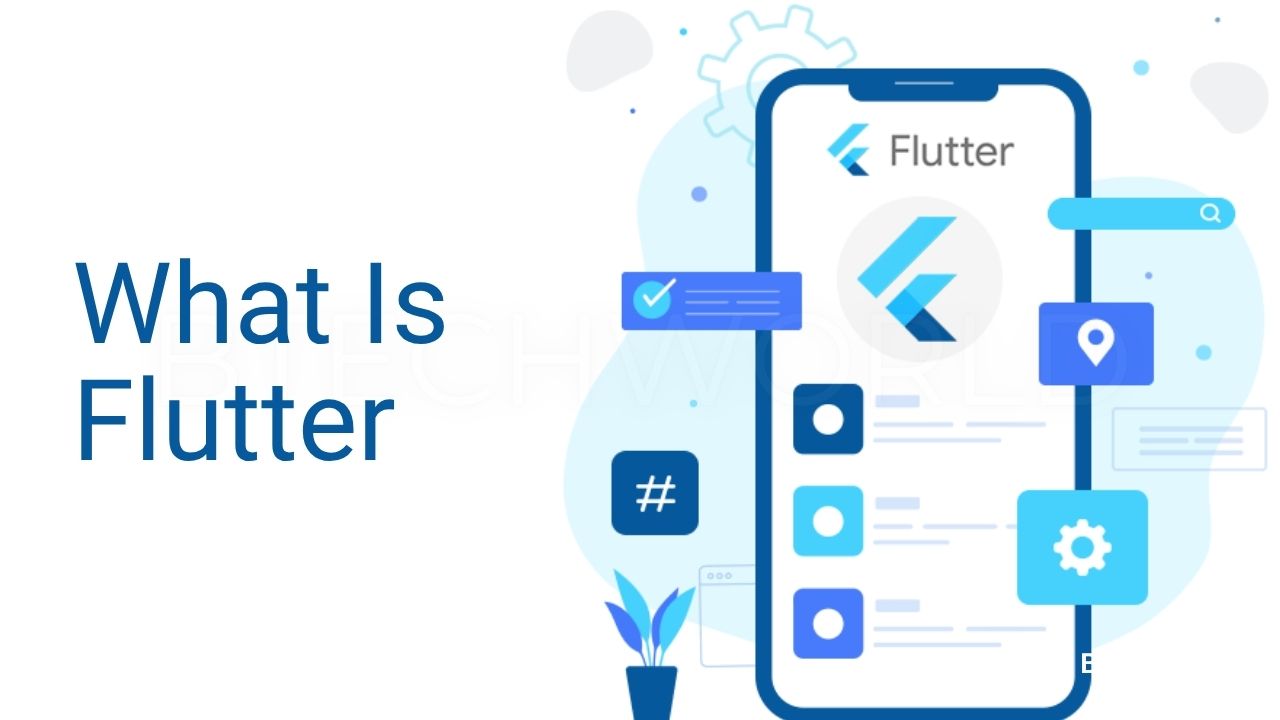
If you are interested in mobile app development, you may have come across the question, “What is Flutter?” Flutter is an open-source UI software development kit (SDK) created by Google for building applications across multiple platforms from a single codebase. Developers can use Flutter to create applications for Android, iOS, web, desktop, and other supported platforms.
Flutter has become popular because it allows developers to build attractive, responsive, and interactive applications without having to create completely separate codebases for every platform. Instead, developers can use Flutter and the Dart programming language to develop applications while sharing a large portion of their code across platforms.
In this complete beginner’s guide, you will learn what Flutter is, how it works, what Dart has to do with Flutter, its main features, advantages and disadvantages, common use cases, and how you can start learning Flutter.
What Is Flutter?
Flutter is an open-source UI toolkit developed by Google for building cross-platform applications. It allows developers to create applications using a single codebase and deploy them across platforms such as Android, iOS, web, and desktop.
Flutter uses Dart as its primary programming language. Dart was also developed by Google and is designed to support application development with features such as object-oriented programming, asynchronous programming, and strong tooling.
One of Flutter’s most important concepts is its widget-based architecture. In Flutter, almost everything related to the user interface is represented as a widget. Text, buttons, images, layouts, padding, rows, columns, and even complete screens can be built using widgets.
For example, a simple Flutter application can contain a text widget:
import 'package:flutter/material.dart';

void main() {
  runApp(
    const MaterialApp(
      home: Scaffold(
        body: Center(
          child: Text('Hello, Flutter!'),
        ),
      ),
    ),
  );
}
This example creates a basic Flutter application with text displayed in the center of the screen.
Who Created Flutter?
Flutter was developed by Google. The project was introduced publicly in 2015 and later reached its first stable release in 2018.
Flutter was designed to make it easier for developers to create high-quality user interfaces for multiple platforms.
Since its release, Flutter has developed a large ecosystem of packages, tools, libraries, documentation, and community resources.
Flutter is now used by developers and organizations for different types of applications, from small learning projects to large production applications.
What Is Flutter Used For?
Flutter is mainly used to build cross-platform applications. Developers can use it for a wide range of projects.
1. Mobile Applications
Flutter can be used to build applications for Android and iOS. Instead of maintaining completely separate frontend codebases for each mobile platform, developers can share much of their Flutter code.
Mobile applications built with Flutter can include:
- E-commerce apps
- Banking interfaces
- Social applications
- Educational apps
- Booking systems
- Productivity tools
- Business applications
- News applications
2. Web Applications
Flutter can also be used to create web applications that run in modern browsers.
Flutter web can be useful for certain types of interactive applications, dashboards, and web experiences. However, developers should evaluate whether Flutter web is appropriate for a particular project, especially when traditional HTML-based websites, search engine optimization, or highly web-specific behavior are major requirements.
3. Desktop Applications
Flutter supports desktop application development for platforms such as Windows, macOS, and Linux.
This means developers familiar with Flutter can potentially use the same technology across mobile, web, and desktop projects.
4. Prototypes and MVPs
Flutter can be useful for startups and developers who want to build prototypes or minimum viable products (MVPs).
Because a large amount of code can be shared across platforms, teams can potentially reduce duplicated development work.
How Does Flutter Work?
To understand how Flutter works, it helps to understand its architecture.
Flutter applications are written primarily in Dart. The Dart code works with the Flutter framework, which provides widgets, animation systems, input handling, accessibility features, and other application-development capabilities.
Flutter also includes a rendering engine responsible for drawing the user interface.
Instead of relying entirely on the platform’s standard UI controls, Flutter can render its widgets using its own graphics system. This approach gives developers significant control over the appearance and behavior of the application.
A simplified Flutter application flow looks like this:
Dart Code
   ↓
Flutter Framework
   ↓
Flutter Engine
   ↓
Platform
   ↓
Application UI
This architecture helps Flutter provide consistent UI behavior across supported platforms.
What Is Dart in Flutter?
Dart is the programming language used by Flutter.
If you want to become a Flutter developer, learning Dart is an important part of the process.
Dart is an object-oriented programming language developed by Google. It supports features such as:
- Variables
- Functions
- Classes
- Objects
- Interfaces
- Generics
- Asynchronous programming
- Null safety
- Collections
A simple Dart example looks like this:
void main() {
  String name = 'Alex';
  print('Hello, $name!');
}
Dart’s syntax is relatively approachable for developers who have experience with languages such as Java, C#, JavaScript, or similar programming languages.
For beginners, it is helpful to learn basic Dart concepts before moving deeply into Flutter.
What Are Flutter Widgets?
Widgets are the foundation of Flutter applications.
A widget describes part of an application’s user interface or behavior. Flutter provides a large collection of built-in widgets, and developers can also create their own custom widgets.
Common Flutter widgets include:
TextContainerRowColumnImageIconButtonScaffoldAppBarListViewStack
For example:
Column(
  children: [
    const Text('Welcome'),
    ElevatedButton(
      onPressed: () {},
      child: const Text('Continue'),
    ),
  ],
)
Here, a Column arranges its children vertically, while Text and ElevatedButton provide specific interface elements.
By combining widgets, developers can create complete application screens.
Stateless vs Stateful Widgets
Flutter applications commonly use two important widget concepts: StatelessWidget and StatefulWidget.
StatelessWidget
A StatelessWidget represents UI that does not maintain changing state internally.
For example:
class WelcomeText extends StatelessWidget {
  const WelcomeText({super.key});

  @override
  Widget build(BuildContext context) {
    return const Text('Welcome to Flutter');
  }
}
This widget simply displays text.
StatefulWidget
A StatefulWidget is used when part of the interface needs to respond to changing state.
For example, a counter application can update the displayed number whenever a user presses a button.
class Counter extends StatefulWidget {
  const Counter({super.key});

  @override
  State<Counter> createState() => _CounterState();
}

class _CounterState extends State<Counter> {
  int count = 0;

  @override
  Widget build(BuildContext context) {
    return ElevatedButton(
      onPressed: () {
        setState(() {
          count++;
        });
      },
      child: Text('Count: $count'),
    );
  }
}
When setState() is called, Flutter knows that the widget needs to be rebuilt to reflect the updated state.
What Is Hot Reload in Flutter?
One of Flutter’s well-known developer features is Hot Reload.
Hot Reload allows developers to apply many code changes to a running application without completely restarting it. This can make the development process faster because developers can quickly see the effect of changes.
For example, if you change:
- Text
- Colors
- Spacing
- Layout
- Widget properties
you can often see the changes almost immediately while the application is running.
Hot Reload is particularly useful when designing and refining user interfaces.
What Is the Flutter Rendering Engine?
Flutter includes a rendering engine that is responsible for drawing much of the application’s interface.
The engine works with the Flutter framework and platform-specific integration to display the application.
This architecture helps Flutter maintain a consistent visual appearance across platforms.
Flutter’s rendering approach also gives developers substantial control over UI design, animations, transitions, and custom visual components.
Advantages of Flutter
Flutter offers several advantages that make it attractive to developers and businesses.
Cross-Platform Development
One of Flutter’s biggest advantages is the ability to target multiple platforms from a shared codebase.
Developers can use Flutter for Android, iOS, web, and desktop applications while sharing a significant amount of application logic and UI code.
Fast Development
Features such as Hot Reload can make development and experimentation faster.
Developers can make changes and quickly see their results without repeatedly rebuilding the entire application from scratch.
Rich Widget Library
Flutter provides many ready-to-use widgets for building interfaces.
Developers can also customize these widgets or create completely custom widgets when necessary.
Consistent User Interface
Because Flutter controls much of the rendering process, developers can achieve a relatively consistent appearance across platforms.
Good Performance
Flutter applications are compiled for their target platforms, and Flutter’s rendering architecture is designed to provide smooth user experiences.
However, actual performance depends on application architecture, code quality, device capabilities, rendering complexity, network usage, and other factors.
Strong Development Tools
Flutter provides useful development tools, debugging capabilities, testing support, and integrations with popular development environments.
Disadvantages of Flutter
Although Flutter has many advantages, it is not perfect for every project.
Larger Application Size
Flutter applications can have a larger initial application footprint than some native alternatives, depending on the project and platform.
For applications where download size is extremely important, this should be considered during technology selection.
Dart Learning Curve
If you have never worked with Dart, you will need to learn another programming language before becoming comfortable with Flutter.
The good news is that Dart is generally approachable for people who already understand programming fundamentals.
Platform-Specific Features
Some applications require deep access to platform-specific capabilities.
Although Flutter provides many integrations and platform APIs, developers may sometimes need to write native Android, iOS, or platform-specific code.
Web Considerations
Flutter web can be useful for certain applications, but it is not automatically the best solution for every website.
For content-heavy websites where search engine optimization, semantic HTML, and conventional web behavior are central requirements, traditional web technologies may be more suitable.
Flutter vs Native App Development
Native Android and iOS development typically uses platform-specific technologies.
For Android, developers commonly use Kotlin or Java with Android development tools. For iOS, Swift and Apple’s development technologies are widely used.
Flutter takes a different approach by allowing developers to build applications using Dart and Flutter’s cross-platform framework.
A simplified comparison looks like this:
| Feature | Flutter | Native Development |
|---|---|---|
| Codebase | Shared across platforms | Usually platform-specific |
| Main language | Dart | Kotlin/Java, Swift |
| UI toolkit | Flutter widgets | Platform UI frameworks |
| Development approach | Cross-platform | Platform-specific |
| Platform access | Strong, with integrations | Direct |
| Code reuse | High | Lower between platforms |
The best choice depends on the project. Flutter can be particularly attractive when cross-platform development and UI consistency are priorities.
Flutter vs React Native
Flutter and React Native are both popular technologies for cross-platform application development, but they use different approaches.
Flutter uses Dart, while React Native primarily uses JavaScript or TypeScript.
Flutter provides its own widget system and rendering approach, while React Native uses a different architecture for connecting JavaScript code with native platform components.
Neither technology is universally better. The right choice depends on the team’s skills, project requirements, existing technology stack, platform needs, and long-term maintenance plans.
Is Flutter Easy to Learn?
Flutter can be relatively easy to start learning if you already understand basic programming concepts.
However, beginners need to learn both Dart and Flutter concepts.
A good learning path is:
- Learn basic programming concepts.
- Learn Dart fundamentals.
- Understand Flutter project structure.
- Learn widgets.
- Learn layouts.
- Learn navigation.
- Learn state management.
- Learn API integration.
- Learn local data storage.
- Build real projects.
You do not need to master every Flutter feature before building your first application.
Start with small projects and gradually increase their complexity.
How to Start Learning Flutter
If you are completely new to Flutter, follow a practical learning roadmap.
Step 1: Learn Programming Basics
Understand variables, functions, conditions, loops, classes, objects, and basic data structures.
Step 2: Learn Dart
Learn Dart syntax and important concepts such as null safety, classes, collections, asynchronous programming, and futures.
Step 3: Install Flutter
Set up the Flutter development environment and choose an IDE such as Visual Studio Code or Android Studio.
Step 4: Build a Simple App
Start with a basic application containing text, buttons, images, and layouts.
Step 5: Learn Flutter Widgets
Become comfortable with common widgets such as Container, Row, Column, ListView, Scaffold, and AppBar.
Step 6: Learn State Management
Understand how application state works and explore appropriate state-management approaches as your projects become larger.
Step 7: Work With APIs
Learn how to request data from web APIs and display it inside your application.
Step 8: Build Projects
Practice by building applications such as:
- To-do app
- Calculator
- Weather app
- Notes app
- Quiz app
- Expense tracker
- E-commerce app
- News app
Projects will help you turn theoretical knowledge into practical development skills.
What Can You Build With Flutter?
Flutter can be used for many different types of applications.
Some examples include:
E-Commerce Apps
You can create product catalogs, shopping carts, user accounts, payment interfaces, and order-tracking screens.
Education Apps
Flutter can be used to create learning platforms, quiz applications, course interfaces, and student dashboards.
Business Apps
Businesses can use Flutter to create internal tools, customer portals, dashboards, and productivity applications.
Social Apps
Developers can create profiles, feeds, messaging interfaces, notifications, and other interactive features.
Finance Apps
Flutter can be used to create financial dashboards, expense trackers, budgeting applications, and other interfaces, subject to the security and compliance requirements of the specific product.
Flutter Career Opportunities
Learning Flutter can open opportunities in mobile and cross-platform application development.
Potential roles include:
- Flutter Developer
- Mobile App Developer
- Cross-Platform Developer
- Dart Developer
- Frontend Developer
- Software Developer
However, professional Flutter development involves more than knowing widgets. Employers may also expect knowledge of Git, APIs, databases, debugging, testing, application architecture, and software development practices.
Building a portfolio of real applications can help demonstrate your skills.
Final Thoughts
Flutter is an open-source UI toolkit from Google that allows developers to build applications for multiple platforms using Dart and a shared codebase. Its widget-based architecture, customizable user interfaces, Hot Reload, cross-platform capabilities, and development tools have made it a popular choice for modern application development.
Flutter can be especially useful when a team wants to build applications for multiple platforms without maintaining completely separate UI codebases. It also provides developers with extensive control over application design and user experience.
If you are planning to become a mobile or cross-platform developer, Flutter is a technology worth exploring. Start by learning Dart, understand the fundamentals of Flutter widgets and layouts, and then build small projects. With consistent practice, you can gradually move toward more advanced applications involving APIs, databases, authentication, state management, testing, and production deployment.
Frequently Asked Questions About Flutter
What is Flutter in simple words?
Flutter is a Google-developed UI toolkit that allows developers to build applications for multiple platforms using a shared codebase.
Is Flutter a programming language?
No. Flutter is a UI software development kit. The primary programming language used with Flutter is Dart.
Is Flutter free?
Yes. Flutter is open-source and can be used to develop applications without paying a license fee for the framework itself.
Can Flutter build Android and iOS apps?
Yes. Flutter supports application development for both Android and iOS.
Can Flutter be used for web development?
Yes. Flutter supports web applications, although developers should evaluate whether it is appropriate for the specific type of website or web application they are building.
Is Flutter better than React Native?
There is no universal answer. Flutter and React Native have different architectures, languages, ecosystems, and development approaches. The best choice depends on the project’s requirements and the development team’s experience.
Should I learn Dart before Flutter?
Learning basic Dart before starting Flutter is recommended because Flutter development requires you to understand Dart syntax and programming concepts.
Is Flutter good for beginners?
Yes. Flutter can be a good option for beginners who want to learn cross-platform application development, especially if they are willing to learn Dart and fundamental programming concepts.
Explore More BTECHWORLD