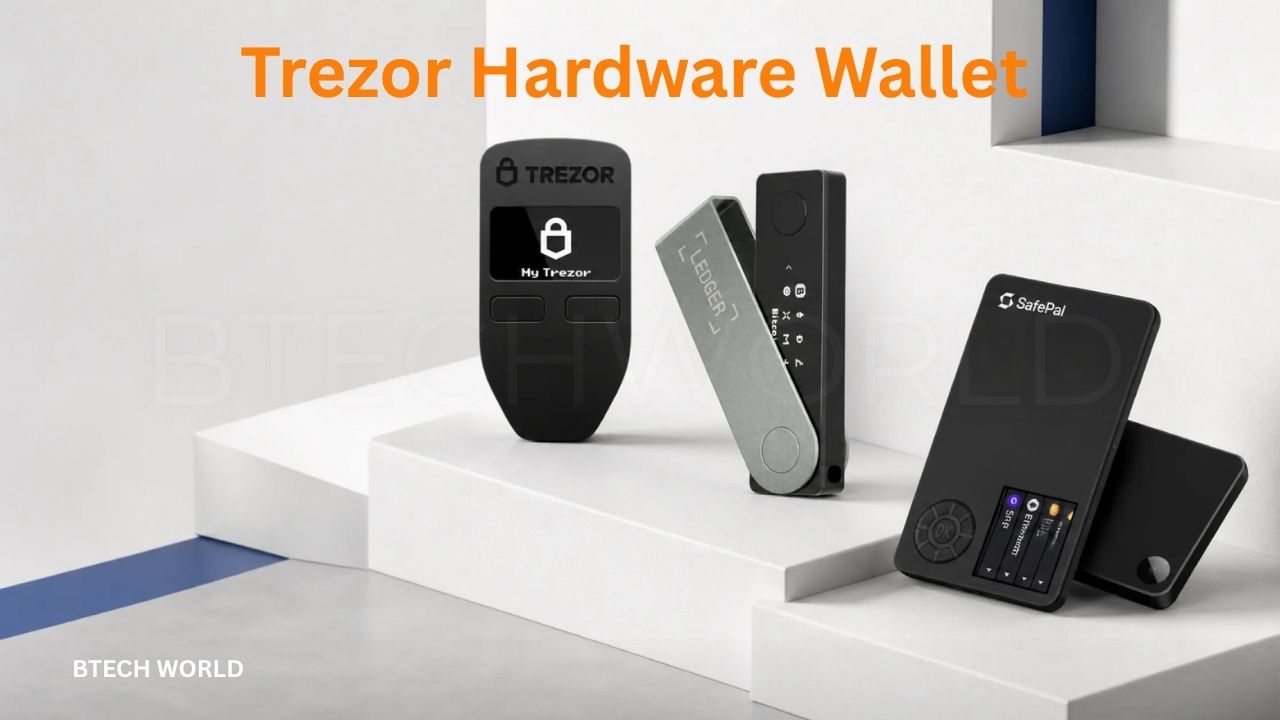
Trezor Hardware Wallet Explained: Features, Security, and How It Works

A Trezor hardware wallet provides a way to store and manage cryptocurrency while keeping private keys away from internet-connected devices. It is designed for people who want greater control over their digital assets without relying entirely on cryptocurrency exchanges or online wallets. By keeping sensitive key operations on a dedicated physical device, Trezor helps reduce exposure to common online threats.
As cryptocurrency adoption grows, protecting Bitcoin and other digital assets has become increasingly important. Online wallets offer convenience, but they can expose users to phishing attacks, malware, and compromised devices. A hardware wallet provides another layer of protection by requiring physical confirmation for important transactions. Understanding its features, security model, and setup process can help users decide whether Trezor suits their needs.
What Is a Trezor Hardware Wallet?
A Trezor hardware wallet is a physical cryptocurrency device developed by <Entity value=”Trezor” category=”brand” disambig=”Cryptocurrency hardware wallets and digital asset security products”/>. It stores the private keys used to control cryptocurrency addresses and sign transactions.
Unlike a traditional software wallet, Trezor is designed to keep private keys within the device. Users connect it to a computer or compatible mobile device to manage their cryptocurrency through supported wallet software. Transaction details appear on the hardware wallet’s screen, allowing users to verify and approve actions physically.
Trezor supports Bitcoin and various other cryptocurrencies, depending on the device model and software compatibility. It does not store cryptocurrency in the same way a bank stores money. Instead, it protects the credentials that allow users to control assets recorded on their respective blockchains.
How Does a Trezor Hardware Wallet Work?
Trezor works by generating and protecting private keys on the device. These keys are essential because they allow users to authorize cryptocurrency transactions and prove control over their wallet addresses.
When users set up a new device, it generates a recovery backup that can help restore access if the hardware wallet is lost, damaged, or replaced. The backup must be stored securely because anyone who obtains it may be able to access the associated funds.
When sending cryptocurrency, users prepare a transaction through compatible wallet software. The transaction details are then sent to the Trezor device for review. The device displays important information, such as the destination address and amount, so users can verify the transaction before approving it.
The device signs the transaction internally. The signed transaction can then be broadcast to the relevant blockchain through connected software. This process helps keep private keys away from the computer or phone used to manage the wallet.
Key Features of Trezor Hardware Wallets
Trezor devices include several features designed to improve cryptocurrency security and usability. Exact capabilities depend on the model and supported software.
Offline Private Key Protection
One of the main benefits of a hardware wallet is that private keys remain protected within the device rather than being stored in an ordinary computer or phone environment.
This reduces the risk of private keys being exposed through common malware infections. However, it does not eliminate every security risk. Users still need to protect their recovery backup, verify transaction details, and avoid fraudulent software.
Physical Transaction Confirmation
Trezor requires users to confirm important transactions through the hardware device. This creates an additional verification step before cryptocurrency leaves the wallet.
The device’s display allows users to check transaction information independently of the computer interface. This is important because malicious software may attempt to replace a destination address or display misleading information.
Recovery Backup
During initial setup, Trezor provides a recovery backup, commonly represented by a sequence of words. This backup can restore access to the wallet if the original device becomes unavailable.
It should be written down and stored in a secure, private location. Users should never share recovery words with another person or enter them into an unfamiliar website.
A hardware wallet cannot protect funds if someone obtains the recovery backup and uses it to restore the wallet elsewhere.
PIN and Passphrase Protection
Trezor devices support PIN protection, helping prevent unauthorized people from using a lost or stolen device.
Some models and configurations also support an optional passphrase. This can provide an additional layer of wallet protection, but it must be managed carefully. Losing a required passphrase can make the associated wallet inaccessible, even when the recovery backup is available.
Popular Trezor Hardware Wallet Models
Trezor offers different devices with varying designs, displays, security features, and connectivity options. Buyers should compare current specifications before choosing a model.
Trezor Safe 3
Trezor Safe 3 is a hardware wallet designed for users who want dedicated cryptocurrency protection with a physical confirmation process. It includes a secure element alongside Trezor’s security architecture.
Its compact design makes it suitable for people who prefer a straightforward device for managing digital assets. Users should check the official compatibility information for supported cryptocurrencies and software features.
Trezor Safe 5
Trezor Safe 5 offers a more advanced user experience with a color touchscreen and additional usability features. Its design makes reviewing transaction details and navigating device functions more convenient.
It is intended for users who want a modern hardware wallet with a larger interactive display. Supported features can vary according to firmware and software updates.
Trezor Model One
Trezor Model One is an earlier hardware wallet model with a simple design and physical buttons. It helped establish Trezor’s approach to offline private key protection.
Although it remains relevant to discussions about hardware wallets, buyers should review its current support status and cryptocurrency compatibility before purchasing. Newer devices may offer features that the older model does not include.
How to Set Up a Trezor Hardware Wallet
Setting up a Trezor device requires careful attention because mistakes involving recovery information can create permanent access problems.
Step 1: Purchase From an Official or Trusted Source
Buy the device through Trezor’s official store or an authorized seller. Avoid unknown marketplaces and suspiciously discounted products.
Check the packaging and device condition when it arrives. Follow the manufacturer’s official authenticity and setup instructions rather than trusting instructions supplied by an unknown seller.
Step 2: Install the Official Wallet Software
Visit the official Trezor website and follow the instructions for accessing its supported wallet interface. Use the official website address rather than links received through unsolicited messages.
Connect the device to a compatible computer or phone. Follow the setup instructions displayed by the official software and hardware device.
Step 3: Create a New Wallet
Choose the option to create a new wallet. The device will generate the necessary private keys and provide a recovery backup.
Write down the recovery words in the correct order. Store them somewhere secure and offline. Do not photograph them, upload them to cloud storage, or share them with customer support.
Step 4: Set a PIN
Create a PIN to help protect the device from unauthorized physical access. Choose a code that is difficult for others to guess.
Keep the PIN private and avoid entering it when someone may be watching. Follow the device’s instructions for confirming the code.
Step 5: Receive Cryptocurrency
Open the appropriate cryptocurrency account through compatible wallet software. Generate a receiving address and verify it on the Trezor device before sharing it.
Send a small test amount first when practical. Once the transaction is confirmed, you can proceed with larger transfers if the address and network are correct.
Is a Trezor Hardware Wallet Safe?
Trezor hardware wallets are designed to reduce the risks associated with storing cryptocurrency private keys on internet-connected devices. Keeping key operations on dedicated hardware provides an important security advantage over ordinary software wallets.
However, no wallet can guarantee complete protection. Users can still lose funds through phishing, fraudulent applications, malicious transaction approvals, compromised recovery backups, or incorrect transfers.
The security of a Trezor wallet depends on both its technical protections and the user’s behavior. Buying from a trusted source, checking transaction details, protecting recovery words, and following official security guidance are essential practices.
Trezor Hardware Wallet vs Software Wallet
Hardware and software wallets serve similar purposes, but they protect private keys in different ways.
A software wallet usually operates on a computer or mobile device. It offers convenient access to cryptocurrency and may be suitable for frequent transactions. However, its security depends partly on the safety of the device running it.
A hardware wallet keeps private keys within dedicated physical hardware and requires confirmation for important actions. This can reduce exposure to malware, although users must still protect their recovery backup and verify transactions.
For many cryptocurrency holders, the two approaches can work together. A software wallet may be useful for smaller everyday transactions, while a hardware wallet can provide additional protection for longer-term holdings.
Advantages and Limitations of Trezor
Trezor offers several advantages for people who want greater control over cryptocurrency security.
Advantages:
- Keeps private keys protected within dedicated hardware.
- Requires physical confirmation for supported transactions.
- Provides a recovery backup for restoring wallet access.
- Supports Bitcoin and other compatible cryptocurrencies.
- Offers different models for varying needs and preferences.
Limitations:
- Requires careful setup and backup management.
- Physical devices can be lost, damaged, or stolen.
- Some cryptocurrencies and features may not be supported by every model.
- Transactions require access to compatible software and hardware.
- Users can still lose funds through scams, exposed recovery words, or incorrect transactions.
Understanding these limitations helps users make a more informed decision before purchasing a device.
Best Security Practices for Trezor Users
A hardware wallet provides useful protection, but users should follow additional security practices to protect their digital assets.
Keep the recovery backup offline and separate from the device. Never enter recovery words into a website or share them with anyone claiming to provide technical support.
Always verify receiving addresses and transaction amounts on the hardware wallet’s display. Be cautious when connecting to unfamiliar applications or approving smart-contract interactions.
Install firmware and software updates through official channels. Before updating, follow the manufacturer’s instructions and make sure the recovery backup is available and secure.
Finally, consider testing the recovery process with a spare device or an appropriate test setup before relying on the wallet for substantial holdings. This helps users understand how recovery works without putting their main funds at unnecessary risk.
Conclusion
The Trezor hardware wallet provides a practical way to protect cryptocurrency private keys through dedicated physical hardware. Its features include offline key protection, transaction confirmation, recovery backups, and security options such as PINs and supported passphrases.
Different models offer varying designs and capabilities, allowing users to choose according to their preferences and cryptocurrency requirements. However, hardware protection alone cannot prevent every threat. Users must also secure their recovery words, verify transactions, and avoid suspicious applications.
For people who want greater control over their digital assets, Trezor can be an important part of a broader cryptocurrency security strategy. Careful setup and responsible wallet management remain essential.
Frequently Asked Questions
1. What is a Trezor hardware wallet?
A Trezor hardware wallet is a physical device that protects cryptocurrency private keys and allows users to approve transactions securely.
2. Is Trezor safe for storing Bitcoin?
Trezor is designed to keep private keys within dedicated hardware and requires physical confirmation for supported transactions. Users must still protect their recovery backup and verify every transaction.
3. What happens if I lose my Trezor device?
You can restore access to your wallet using the recovery backup on a compatible replacement wallet. This is why keeping the backup secure and accessible is essential.
4. Does Trezor support cryptocurrencies other than Bitcoin?
Yes. Trezor supports multiple cryptocurrencies, but availability depends on the device model, firmware, and compatible wallet software.
5. Can I use Trezor with a mobile phone?
Compatible Trezor models and software support certain mobile workflows. Check the official compatibility information to confirm whether your phone, operating system, and preferred cryptocurrency are supported.
Explore More BTECH WORLD