What Is HRMS Globex? Features, Benefits, and How It Works

HRMS Globex refers to a web-based Human Resource Management System used to provide authorized users with access to workplace HR services. HRMS stands for Human Resource Management System, which generally brings employee information and HR processes into a centralized digital environment. The publicly accessible Globex HRMS portal provides a username-and-password login and a password-recovery option.
The platform is often searched by employees who want to access their HR account, review workplace information, recover a password, or understand available HR services. However, public information about the complete dashboard is limited. Some features are documented, while others are described by third-party websites without enough public evidence to confirm that every account includes them.
What Is HRMS Globex?
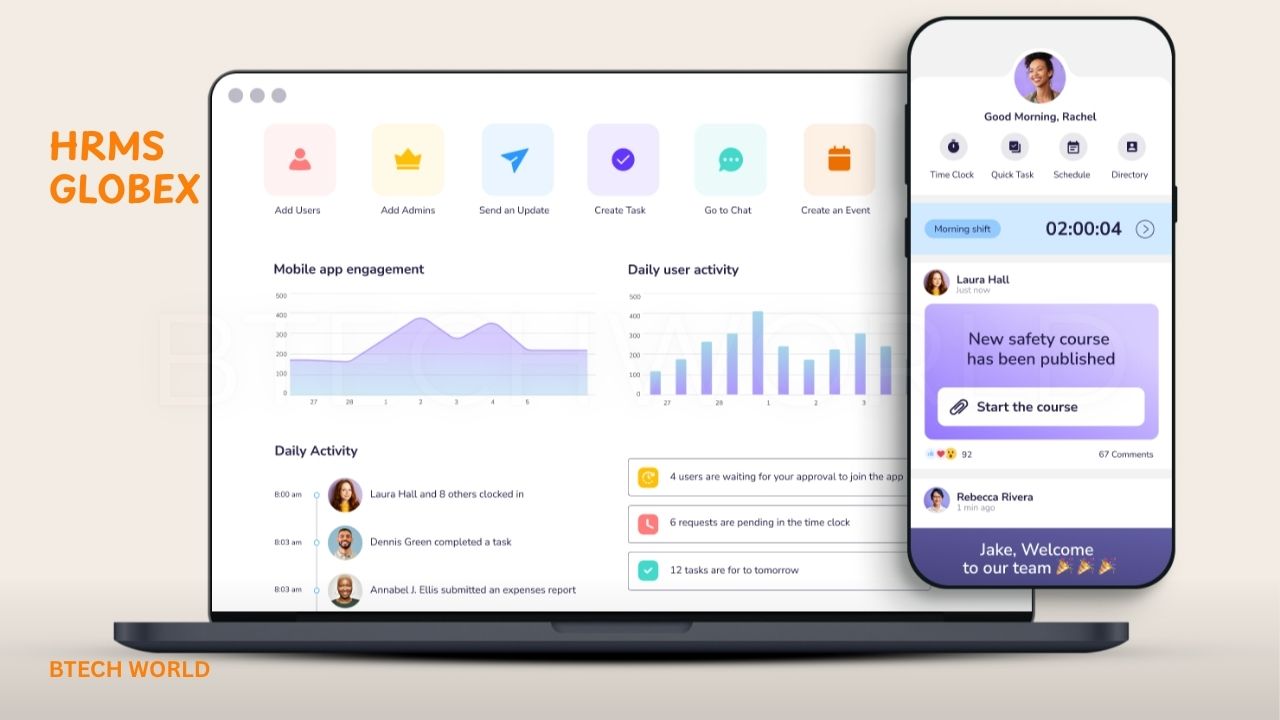
HRMS Globex is an online HR system designed to help authorized employees and HR personnel manage workplace-related processes digitally. Instead of relying entirely on paper records, emails, or separate spreadsheets, an HRMS can organize employee information and HR workflows through a centralized portal.
The currently accessible portal is hosted at hrms.theglobex.com. Its public login page asks for a username, password, and CAPTCHA. It also includes a “Forgot password?” option, indicating that the portal is intended for users who already have authorized credentials rather than general public registration.
How Does HRMS Globex Work?
HRMS Globex works through authenticated user accounts. After entering valid credentials, an employee or other authorized user can access the HR services assigned to their account. The exact dashboard can differ according to role, permissions, department, and eligibility.
This role-based approach is important for HR software because employees, managers, and HR administrators do not normally need the same information. For example, performance-review functions may only appear for employees participating in a particular review cycle. Public documentation associated with the system confirms several stages of performance management.
HRMS Globex Main Features
Publicly available information connects HRMS Globex with several HR activities, but not every feature can be independently verified from the public dashboard. The clearest documented functionality includes employee login, password recovery, and performance-management workflows.
A separate website using the HRMS Globex name describes broader functions such as employee information, payroll, attendance, leave, performance, and recruitment. However, its relationship to the hrms.theglobex.com portal is not clearly established. Therefore, users should distinguish between documented functions and general HRMS capabilities when researching the platform.
Employee Information Management
An HRMS generally provides a central location for employee information. This can include details such as employee identity, department, job role, employment information, and other records needed by HR teams.
For HRMS Globex specifically, public access does not reveal the complete employee dashboard. As a result, it would be inaccurate to claim that every user can edit or view every type of employee record. Available services can depend on the account and permissions assigned by the organization.
Attendance and Time Tracking
Attendance is commonly associated with modern HR management systems because organizations need to track working time, absences, and related records. Several third-party descriptions of HRMS Globex mention attendance-related functionality.
However, the publicly accessible HRMS portal does not expose the complete dashboard to visitors. Therefore, attendance features should be treated as organization-dependent unless they are confirmed by the user’s employer or visible after authorized login. Employees with questions about attendance records should contact their HR department or system administrator.
Leave and Absence Management
Leave management is another function frequently associated with HRMS platforms. A centralized system can make it easier for employees to submit requests and for managers to review them.
For HRMS Globex, online sources commonly mention leave services, but the public portal does not provide enough information to confirm the exact leave workflow for every organization. The available options may depend on how the employer has configured the system and what permissions an employee receives.
Payroll and Compensation Management
Payroll is often an important part of HR management software. A centralized HR platform can potentially help organizations maintain compensation information and provide employees with access to payroll-related documents.
Several third-party websites describe payroll and payslip functions as part of HRMS Globex. However, these claims are not fully visible on the public login page. Employees should therefore follow their organization’s instructions to determine whether salary information, payslips, or related documents are available through their individual account.
Employee Self-Service
Employee self-service, often called ESS, allows workers to complete certain HR tasks without contacting HR for every request. Depending on the system, these tasks can include viewing information, submitting requests, or accessing documents.
HRMS Globex appears to provide an employee-facing portal because the public site requires individual credentials before access is granted. However, the exact self-service tools available to a particular user cannot be determined from the public login screen alone.
Recruitment and Onboarding
Recruitment and onboarding are commonly included in full HR management systems. These functions can help organizations organize candidate information, hiring workflows, and new-employee records.
A website using the HRMS Globex brand describes recruitment and onboarding among its broader HR capabilities. However, because the relationship between that website and the verified theglobex.com portal is unclear, these features should not be presented as universally confirmed for every HRMS Globex account.
Performance Management
Performance management is one of the better-documented functions connected with the HRMS environment. Available documentation describes employee self-reviews, reporting-manager reviews, and final review stages.
The workflow can involve an employee completing a self-review before it moves to the reporting manager or appraiser. Documentation also indicates that appraisal-related information can be provided through HRMS for eligible employees. This makes performance management a particularly relevant function for users during an organization’s appraisal cycle.
HR Reports and Analytics
HR reports can help organizations understand workforce information and review HR processes. In a typical HRMS, reports might cover employee information, attendance, leave, payroll, or performance.
However, the complete reporting dashboard for HRMS Globex is not publicly accessible. Therefore, the availability of specific reports or analytics tools can vary by organization and user role. Users should rely on the functions displayed after authorized login rather than assuming that every feature listed by third-party websites is available.
Benefits of Using HRMS Globex
The main potential benefit of an HRMS is centralization. Instead of handling every HR activity through separate documents, messages, and manual records, organizations can use a digital system to organize employee-related processes.
For employees, an online HR portal can also make certain tasks more convenient. Rather than contacting HR for every routine request, users may be able to access relevant information or complete assigned processes themselves. The exact benefits depend on the services enabled by the organization.
HRMS Globex for Employees
For employees, HRMS Globex is primarily useful as a gateway to assigned workplace HR services. The public portal confirms that users need credentials to enter the system, which means employees normally receive access through their organization rather than creating a public account.
The available options may differ between employees. Someone participating in a performance review may see appraisal-related services that are not visible to another employee. Similarly, managers and HR personnel may have additional permissions. This role-based approach helps limit access to sensitive workplace information.
HRMS Globex for HR Teams and Businesses
For HR teams, an HRMS can reduce repetitive administrative work by bringing employee processes into a structured digital environment. It can also provide a central location for managing information and coordinating workflows.
The HRMS Globex environment has documented performance-management functionality, showing how an HR portal can support a process involving employees, managers, and final reviewers. Broader business functions may vary depending on the organization’s implementation and should be confirmed with the relevant administrator.
HRMS Globex Login and Access
The currently accessible HRMS Globex login page is hosted at hrms.theglobex.com/Web/Default.aspx. The page asks for a username, password, and CAPTCHA. It also provides a “Forgot password?” option.
Users should access the portal through the address supplied by their employer or HR department. This is especially important because multiple websites currently use the “HRMS Globex” name online. A website mentioning HRMS Globex is not automatically the official employee portal.
Is HRMS Globex Easy to Use?
The public login interface is relatively straightforward. It presents the essential authentication fields without requiring visitors to create a public account. However, the actual user experience depends on what appears after authentication.
Employees should remember that the dashboard may differ according to their role and permissions. If a feature is missing, that does not necessarily mean the system is malfunctioning. It may simply mean the employee is not eligible for that service or the organization has not enabled it for that account.
Common HRMS Globex Challenges
One common problem is forgotten login information. The public portal provides a password-recovery option, so users should use that official process instead of entering credentials into an unrelated website.
Another issue can occur when an employee cannot see a particular HR service. Performance-management documentation indicates that some review functions depend on eligibility and review cycles. If a required feature does not appear, the employee should contact the HR department, manager, or authorized HRMS administrator.
HRMS Globex Security and Data Privacy
HR systems handle sensitive employee information, so account security is important. Employees should keep usernames and passwords private and avoid entering credentials into websites that are not verified by their employer.
The distinction between the verified employee portal and unrelated websites is especially important for HRMS Globex. A separate site called hrmsglobex.com describes itself as an HR software platform, but public evidence does not clearly establish that it operates the hrms.theglobex.com employee portal. Users should therefore verify the domain before signing in.
Conclusion
HRMS Globex is best understood as an online HR portal that provides authorized users with access to workplace-related services. The publicly accessible system confirms username-and-password authentication, password recovery, and documented performance-management functions. Other features, such as payroll, attendance, leave, and recruitment, are widely associated with the name online but may depend on the organization’s specific implementation.
For employees, the most important step is to verify the correct portal before entering personal credentials. The currently accessible login page is hosted on the theglobex.com domain. Because other websites also use the HRMS Globex name, users should rely on employer-provided instructions and official account information rather than assuming every search result is an authorized login page.
Frequently Asked Questions (FAQs)
What is HRMS Globex?
HRMS Globex refers to a web-based Human Resource Management System used by authorized users for workplace HR services. The accessible portal provides authenticated employee access.
What is the HRMS Globex login URL?
The currently accessible portal is hrms.theglobex.com/Web/Default.aspx. Users should verify the address with their employer before entering credentials.
Does HRMS Globex require a username and password?
Yes. The public login page asks users to enter a username and password, along with a CAPTCHA.
How can I recover my HRMS Globex password?
Use the “Forgot password?” option available on the official portal. If recovery does not work, contact your organization’s HR or system administrator.
Does HRMS Globex support performance reviews?
Yes. Documentation associated with the HRMS environment confirms performance-management workflows involving employee self-reviews, manager reviews, and final review stages.
Can every employee access the same HRMS Globex features?
No. Available services can depend on the employee’s role, permissions, and eligibility. Performance-review access, for example, can depend on the relevant review cycle.
Is HRMS Globex the same as HRMSGlobex.com?
They should not automatically be treated as the same service. The employee portal is hosted at hrms.theglobex.com, while hrmsglobex.com is a separate website. Their relationship has not been clearly established publicly.
What should I do if HRMS Globex is not working?
First, verify that you are using the correct portal and credentials. If the problem continues, contact your employer’s HR or IT team because access and account issues may require administrator assistance.
Explore More: BTECH WORLD